AI Agents for Beginners
本文为开源社区精选内容,由 Microsoft 原创。 文中链接将跳转到原始仓库,部分图片可能加载较慢。
查看原始来源AI 导读
AI Agents for Beginners 15 Lessons -- Get Started Building AI Agents. A structured course by Microsoft covering AI agent fundamentals, agentic frameworks, design patterns, tool use, multi-agent...
AI Agents for Beginners
15 Lessons -- Get Started Building AI Agents. A structured course by Microsoft covering AI agent fundamentals, agentic frameworks, design patterns, tool use, multi-agent systems, production deployment, protocols (MCP/A2A), context engineering, and agent memory.
Introduction to AI Agents and Agent Use Cases
Welcome to the "AI Agents for Beginners" course! This course provides fundamental knowledge and applied samples for building AI Agents.
To start this course, we begin by getting a better understanding of what AI Agents are and how we can use them in the applications and workflows we build.
Introduction
This lesson covers:
- What are AI Agents and what are the different types of agents?
- What use cases are best for AI Agents and how can they help us?
- What are some of the basic building blocks when designing Agentic Solutions?
Learning Goals
After completing this lesson, you should be able to:
- Understand AI Agent concepts and how they differ from other AI solutions.
- Apply AI Agents most efficiently.
- Design Agentic solutions productively for both users and customers.
Defining AI Agents and Types of AI Agents
What are AI Agents?
AI Agents are systems that enable Large Language Models(LLMs) to perform actions by extending their capabilities by giving LLMs access to tools and knowledge.
Let's break this definition into smaller parts:
- System - It's important to think about agents not as just a single component but as a system of many components. At the basic level, the components of an AI Agent are:
- Environment - The defined space where the AI Agent is operating. For example, if we had a travel booking AI Agent, the environment could be the travel booking system that the AI Agent uses to complete tasks.
- Sensors - Environments have information and provide feedback. AI Agents use sensors to gather and interpret this information about the current state of the environment. In the Travel Booking Agent example, the travel booking system can provide information such as hotel availability or flight prices.
- Actuators - Once the AI Agent receives the current state of the environment, for the current task the agent determines what action to perform to change the environment. For the travel booking agent, it might be to book an available room for the user.
Large Language Models - The concept of agents existed before the creation of LLMs. The advantage of building AI Agents with LLMs is their ability to interpret human language and data. This ability enables LLMs to interpret environmental information and define a plan to change the environment.
Perform Actions - Outside of AI Agent systems, LLMs are limited to situations where the action is generating content or information based on a user's prompt. Inside AI Agent systems, LLMs can accomplish tasks by interpreting the user's request and using tools that are available in their environment.
Access To Tools - What tools the LLM has access to is defined by 1) the environment it's operating in and 2) the developer of the AI Agent. For our travel agent example, the agent's tools are limited by the operations available in the booking system, and/or the developer can limit the agent's tool access to flights.
Memory+Knowledge - Memory can be short-term in the context of the conversation between the user and the agent. Long-term, outside of the information provided by the environment, AI Agents can also retrieve knowledge from other systems, services, tools, and even other agents. In the travel agent example, this knowledge could be the information on the user's travel preferences located in a customer database.
The different types of agents
Now that we have a general definition of AI Agents, let us look at some specific agent types and how they would be applied to a travel booking AI agent.
| Agent Type | Description | Example |
|---|---|---|
| Simple Reflex Agents | Perform immediate actions based on predefined rules. | Travel agent interprets the context of the email and forwards travel complaints to customer service. |
| Model-Based Reflex Agents | Perform actions based on a model of the world and changes to that model. | Travel agent prioritizes routes with significant price changes based on access to historical pricing data. |
| Goal-Based Agents | Create plans to achieve specific goals by interpreting the goal and determining actions to reach it. | Travel agent books a journey by determining necessary travel arrangements (car, public transit, flights) from the current location to the destination. |
| Utility-Based Agents | Consider preferences and weigh tradeoffs numerically to determine how to achieve goals. | Travel agent maximizes utility by weighing convenience vs. cost when booking travel. |
| Learning Agents | Improve over time by responding to feedback and adjusting actions accordingly. | Travel agent improves by using customer feedback from post-trip surveys to make adjustments to future bookings. |
| Hierarchical Agents | Feature multiple agents in a tiered system, with higher-level agents breaking tasks into subtasks for lower-level agents to complete. | Travel agent cancels a trip by dividing the task into subtasks (for example, canceling specific bookings) and having lower-level agents complete them, reporting back to the higher-level agent. |
| Multi-Agent Systems (MAS) | Agents complete tasks independently, either cooperatively or competitively. | Cooperative: Multiple agents book specific travel services such as hotels, flights, and entertainment. Competitive: Multiple agents manage and compete over a shared hotel booking calendar to book customers into the hotel. |
When to Use AI Agents
In the earlier section, we used the Travel Agent use-case to explain how the different types of agents can be used in different scenarios of travel booking. We will continue to use this application throughout the course.
Let's look at the types of use cases that AI Agents are best used for:
- Open-Ended Problems - allowing the LLM to determine needed steps to complete a task because it can't always be hardcoded into a workflow.
- Multi-Step Processes - tasks that require a level of complexity in which the AI Agent needs to use tools or information over multiple turns instead of single shot retrieval.
- Improvement Over Time - tasks where the agent can improve over time by receiving feedback from either its environment or users in order to provide better utility.
We cover more considerations of using AI Agents in the Building Trustworthy AI Agents lesson.
Basics of Agentic Solutions
Agent Development
The first step in designing an AI Agent system is to define the tools, actions, and behaviors. In this course, we focus on using the Azure AI Agent Service to define our Agents. It offers features like:
- Selection of Open Models such as OpenAI, Mistral, and Llama
- Use of Licensed Data through providers such as Tripadvisor
- Use of standardized OpenAPI 3.0 tools
Agentic Patterns
Communication with LLMs is through prompts. Given the semi-autonomous nature of AI Agents, it isn't always possible or required to manually reprompt the LLM after a change in the environment. We use Agentic Patterns that allow us to prompt the LLM over multiple steps in a more scalable way.
This course is divided into some of the current popular Agentic patterns.
Agentic Frameworks
Agentic Frameworks allow developers to implement agentic patterns through code. These frameworks offer templates, plugins, and tools for better AI Agent collaboration. These benefits provide abilities for better observability and troubleshooting of AI Agent systems.
In this course, we will explore the Microsoft Agent Framework (MAF) for building production-ready AI agents.
AI Agentic Design Principles
Introduction
There are many ways to think about building AI Agentic Systems. Given that ambiguity is a feature and not a bug in Generative AI design, it’s sometimes difficult for engineers to figure out where to even start. We have created a set of human-centric UX Design Principles to enable developers to build customer-centric agentic systems to solve their business needs. These design principles are not a prescriptive architecture but rather a starting point for teams who are defining and building out agent experiences.
In general, agents should:
- Broaden and scale human capacities (brainstorming, problem-solving, automation, etc.)
- Fill in knowledge gaps (get me up-to-speed on knowledge domains, translation, etc.)
- Facilitate and support collaboration in the ways we as individuals prefer to work with others
- Make us better versions of ourselves (e.g., life coach/task master, helping us learn emotional regulation and mindfulness skills, building resilience, etc.)
This Lesson Will Cover
- What are the Agentic Design Principles
- What are some guidelines to follow while implementing these design principles
- What are some examples of using the design principles
Learning Goals
After completing this lesson, you will be able to:
- Explain what the Agentic Design Principles are
- Explain the guidelines for using the Agentic Design Principles
- Understand how to build an agent using the Agentic Design Principles
The Agentic Design Principles
Agent (Space)
This is the environment in which the agent operates. These principles inform how we design agents for engaging in physical and digital worlds.
- Connecting, not collapsing – help connect people to other people, events, and actionable knowledge to enable collaboration and connection.
- Agents help connect events, knowledge, and people.
- Agents bring people closer together. They are not designed to replace or belittle people.
- Easily accessible yet occasionally invisible – agent largely operates in the background and only nudges us when it is relevant and appropriate.
- Agent is easily discoverable and accessible for authorized users on any device or platform.
- Agent supports multimodal inputs and outputs (sound, voice, text, etc.).
- Agent can seamlessly transition between foreground and background; between proactive and reactive, depending on its sensing of user needs.
- Agent may operate in invisible form, yet its background process path and collaboration with other Agents are transparent to and controllable by the user.
Agent (Time)
This is how the agent operates over time. These principles inform how we design agents interacting across the past, present, and future.
- Past: Reflecting on history that includes both state and context.
- Agent provides more relevant results based on analysis of richer historical data beyond only the event, people, or states.
- Agent creates connections from past events and actively reflects on memory to engage with current situations.
- Now: Nudging more than notifying.
- Agent embodies a comprehensive approach to interacting with people. When an event happens, the Agent goes beyond static notification or other static formality. Agent can simplify flows or dynamically generate cues to direct the user’s attention at the right moment.
- Agent delivers information based on contextual environment, social and cultural changes and tailored to user intent.
- Agent interaction can be gradual, evolving/growing in complexity to empower users over the long term.
- Future: Adapting and evolving.
- Agent adapts to various devices, platforms, and modalities.
- Agent adapts to user behavior, accessibility needs, and is freely customizable.
- Agent is shaped by and evolves through continuous user interaction.
Agent (Core)
These are the key elements in the core of an agent’s design.
- Embrace uncertainty but establish trust.
- A certain level of Agent uncertainty is expected. Uncertainty is a key element of agent design.
- Trust and transparency are foundational layers of Agent design.
- Humans are in control of when the Agent is on/off and Agent status is clearly visible at all times.
The Guidelines to Implement These Principles
When you’re using the previous design principles, use the following guidelines:
- Transparency: Inform the user that AI is involved, how it functions (including past actions), and how to give feedback and modify the system.
- Control: Enable the user to customize, specify preferences and personalize, and have control over the system and its attributes (including the ability to forget).
- Consistency: Aim for consistent, multi-modal experiences across devices and endpoints. Use familiar UI/UX elements where possible (e.g., microphone icon for voice interaction) and reduce the customer’s cognitive load as much as possible (e.g., aim for concise responses, visual aids, and ‘Learn More’ content).
How To Design a Travel Agent using These Principles and Guidelines
Imagine you are designing a Travel Agent, here is how you could think about using the Design Principles and Guidelines:
- Transparency – Let the user know that the Travel Agent is an AI-enabled Agent. Provide some basic instructions on how to get started (e.g., a “Hello” message, sample prompts). Clearly document this on the product page. Show the list of prompts a user has asked in the past. Make it clear how to give feedback (thumbs up and down, Send Feedback button, etc.). Clearly articulate if the Agent has usage or topic restrictions.
- Control – Make sure it’s clear how the user can modify the Agent after it’s been created with things like the System Prompt. Enable the user to choose how verbose the Agent is, its writing style, and any caveats on what the Agent should not talk about. Allow the user to view and delete any associated files or data, prompts, and past conversations.
- Consistency – Make sure the icons for Share Prompt, add a file or photo and tag someone or something are standard and recognizable. Use the paperclip icon to indicate file upload/sharing with the Agent, and an image icon to indicate graphics upload.
Tool Use Design Pattern
Tools are interesting because they allow AI agents to have a broader range of capabilities. Instead of the agent having a limited set of actions it can perform, by adding a tool, the agent can now perform a wide range of actions. In this chapter, we will look at the Tool Use Design Pattern, which describes how AI agents can use specific tools to achieve their goals.
Introduction
In this lesson, we're looking to answer the following questions:
- What is the tool use design pattern?
- What are the use cases it can be applied to?
- What are the elements/building blocks needed to implement the design pattern?
- What are the special considerations for using the Tool Use Design Pattern to build trustworthy AI agents?
Learning Goals
After completing this lesson, you will be able to:
- Define the Tool Use Design Pattern and its purpose.
- Identify use cases where the Tool Use Design Pattern is applicable.
- Understand the key elements needed to implement the design pattern.
- Recognize considerations for ensuring trustworthiness in AI agents using this design pattern.
What is the Tool Use Design Pattern?
The Tool Use Design Pattern focuses on giving LLMs the ability to interact with external tools to achieve specific goals. Tools are code that can be executed by an agent to perform actions. A tool can be a simple function such as a calculator, or an API call to a third-party service such as stock price lookup or weather forecast. In the context of AI agents, tools are designed to be executed by agents in response to model-generated function calls.
What are the use cases it can be applied to?
AI Agents can leverage tools to complete complex tasks, retrieve information, or make decisions. The tool use design pattern is often used in scenarios requiring dynamic interaction with external systems, such as databases, web services, or code interpreters. This ability is useful for a number of different use cases including:
- Dynamic Information Retrieval: Agents can query external APIs or databases to fetch up-to-date data (e.g., querying a SQLite database for data analysis, fetching stock prices or weather information).
- Code Execution and Interpretation: Agents can execute code or scripts to solve mathematical problems, generate reports, or perform simulations.
- Workflow Automation: Automating repetitive or multi-step workflows by integrating tools like task schedulers, email services, or data pipelines.
- Customer Support: Agents can interact with CRM systems, ticketing platforms, or knowledge bases to resolve user queries.
- Content Generation and Editing: Agents can leverage tools like grammar checkers, text summarizers, or content safety evaluators to assist with content creation tasks.
What are the elements/building blocks needed to implement the tool use design pattern?
These building blocks allow the AI agent to perform a wide range of tasks. Let's look at the key elements needed to implement the Tool Use Design Pattern:
Function/Tool Schemas: Detailed definitions of available tools, including function name, purpose, required parameters, and expected outputs. These schemas enable the LLM to understand what tools are available and how to construct valid requests.
Function Execution Logic: Governs how and when tools are invoked based on the user’s intent and conversation context. This may include planner modules, routing mechanisms, or conditional flows that determine tool usage dynamically.
Message Handling System: Components that manage the conversational flow between user inputs, LLM responses, tool calls, and tool outputs.
Tool Integration Framework: Infrastructure that connects the agent to various tools, whether they are simple functions or complex external services.
Error Handling & Validation: Mechanisms to handle failures in tool execution, validate parameters, and manage unexpected responses.
State Management: Tracks conversation context, previous tool interactions, and persistent data to ensure consistency across multi-turn interactions.
Next, let's look at Function/Tool Calling in more detail.
Function/Tool Calling
Function calling is the primary way we enable Large Language Models (LLMs) to interact with tools. You will often see 'Function' and 'Tool' used interchangeably because 'functions' (blocks of reusable code) are the 'tools' agents use to carry out tasks. In order for a function's code to be invoked, an LLM must compare the users request against the functions description. To do this a schema containing the descriptions of all the available functions is sent to the LLM. The LLM then selects the most appropriate function for the task and returns its name and arguments. The selected function is invoked, it's response is sent back to the LLM, which uses the information to respond to the users request.
For developers to implement function calling for agents, you will need:
- An LLM model that supports function calling
- A schema containing function descriptions
- The code for each function described
Let's use the example of getting the current time in a city to illustrate:
Initialize an LLM that supports function calling:
Not all models support function calling, so it's important to check that the LLM you are using does. Azure OpenAI supports function calling. We can start by initiating the Azure OpenAI client.
# Initialize the Azure OpenAI client
client = AzureOpenAI(
    azure_endpoint = os.getenv("AZURE_AI_PROJECT_ENDPOINT"),
    api_key=os.getenv("AZURE_OPENAI_API_KEY"),
    api_version="2024-05-01-preview"
)
Create a Function Schema:
Next we will define a JSON schema that contains the function name, description of what the function does, and the names and descriptions of the function parameters. We will then take this schema and pass it to the client created previously, along with the users request to find the time in San Francisco. What's important to note is that a tool call is what is returned, not the final answer to the question. As mentioned earlier, the LLM returns the name of the function it selected for the task, and the arguments that will be passed to it.
# Function description for the model to read
tools = [
    {
        "type": "function",
        "function": {
            "name": "get_current_time",
            "description": "Get the current time in a given location",
            "parameters": {
                "type": "object",
                "properties": {
                    "location": {
                        "type": "string",
                        "description": "The city name, e.g. San Francisco",
                    },
                },
                "required": ["location"],
            },
        }
    }
]
# Initial user message messages = [{"role": "user", "content": "What's the current time in San Francisco"}] # First API call: Ask the model to use the function response = client.chat.completions.create( model=deployment_name, messages=messages, tools=tools, tool_choice="auto", ) # Process the model's response response_message = response.choices[0].message messages.append(response_message) print("Model's response:") print(response_message)Model's response: ChatCompletionMessage(content=None, role='assistant', function_call=None, tool_calls=[ChatCompletionMessageToolCall(id='call_pOsKdUlqvdyttYB67MOj434b', function=Function(arguments='{"location":"San Francisco"}', name='get_current_time'), type='function')])The function code required to carry out the task:
Now that the LLM has chosen which function needs to be run the code that carries out the task needs to be implemented and executed. We can implement the code to get the current time in Python. We will also need to write the code to extract the name and arguments from the response_message to get the final result.
  def get_current_time(location):
    """Get the current time for a given location"""
    print(f"get_current_time called with location: {location}")
    location_lower = location.lower()

    for key, timezone in TIMEZONE_DATA.items():
        if key in location_lower:
            print(f"Timezone found for {key}")
            current_time = datetime.now(ZoneInfo(timezone)).strftime("%I:%M %p")
            return json.dumps({
                "location": location,
                "current_time": current_time
            })

    print(f"No timezone data found for {location_lower}")
    return json.dumps({"location": location, "current_time": "unknown"})
# Handle function calls if response_message.tool_calls: for tool_call in response_message.tool_calls: if tool_call.function.name == "get_current_time": function_args = json.loads(tool_call.function.arguments) time_response = get_current_time( location=function_args.get("location") ) messages.append({ "tool_call_id": tool_call.id, "role": "tool", "name": "get_current_time", "content": time_response, }) else: print("No tool calls were made by the model.") # Second API call: Get the final response from the model final_response = client.chat.completions.create( model=deployment_name, messages=messages, ) return final_response.choices[0].message.contentget_current_time called with location: San Francisco Timezone found for san francisco The current time in San Francisco is 09:24 AM.
Function Calling is at the heart of most, if not all agent tool use design, however implementing it from scratch can sometimes be challenging. As we learned in Lesson 2 agentic frameworks provide us with pre-built building blocks to implement tool use.
Tool Use Examples with Agentic Frameworks
Here are some examples of how you can implement the Tool Use Design Pattern using different agentic frameworks:
Microsoft Agent Framework
Microsoft Agent Framework is an open-source AI framework for building AI agents. It simplifies the process of using function calling by allowing you to define tools as Python functions with the @tool decorator. The framework handles the back-and-forth communication between the model and your code. It also provides access to pre-built tools like File Search and Code Interpreter through the AzureAIProjectAgentProvider.
The following diagram illustrates the process of function calling with the Microsoft Agent Framework:
In the Microsoft Agent Framework, tools are defined as decorated functions. We can convert the get_current_time function we saw earlier into a tool by using the @tool decorator. The framework will automatically serialize the function and its parameters, creating the schema to send to the LLM.
from agent_framework import tool
from agent_framework.azure import AzureAIProjectAgentProvider
from azure.identity import AzureCliCredential

@tool
def get_current_time(location: str) -> str:
    """Get the current time for a given location"""
    ...

# Create the client
provider = AzureAIProjectAgentProvider(credential=AzureCliCredential())

# Create an agent and run with the tool
agent = await provider.create_agent(name="TimeAgent", instructions="Use available tools to answer questions.", tools=get_current_time)
response = await agent.run("What time is it?")
Azure AI Agent Service
Azure AI Agent Service is a newer agentic framework that is designed to empower developers to securely build, deploy, and scale high-quality, and extensible AI agents without needing to manage the underlying compute and storage resources. It is particularly useful for enterprise applications since it is a fully managed service with enterprise grade security.
When compared to developing with the LLM API directly, Azure AI Agent Service provides some advantages, including:
- Automatic tool calling – no need to parse a tool call, invoke the tool, and handle the response; all of this is now done server-side
- Securely managed data – instead of managing your own conversation state, you can rely on threads to store all the information you need
- Out-of-the-box tools – Tools that you can use to interact with your data sources, such as Bing, Azure AI Search, and Azure Functions.
The tools available in Azure AI Agent Service can be divided into two categories:
Knowledge Tools:
Action Tools:
The Agent Service allows us to be able to use these tools together as a toolset. It also utilizes threads which keep track of the history of messages from a particular conversation.
Imagine you are a sales agent at a company called Contoso. You want to develop a conversational agent that can answer questions about your sales data.
The following image illustrates how you could use Azure AI Agent Service to analyze your sales data:
To use any of these tools with the service we can create a client and define a tool or toolset. To implement this practically we can use the following Python code. The LLM will be able to look at the toolset and decide whether to use the user created function, fetch_sales_data_using_sqlite_query, or the pre-built Code Interpreter depending on the user request.
import os
from azure.ai.projects import AIProjectClient
from azure.identity import DefaultAzureCredential
from fetch_sales_data_functions import fetch_sales_data_using_sqlite_query # fetch_sales_data_using_sqlite_query function which can be found in a fetch_sales_data_functions.py file.
from azure.ai.projects.models import ToolSet, FunctionTool, CodeInterpreterTool

project_client = AIProjectClient.from_connection_string(
    credential=DefaultAzureCredential(),
    conn_str=os.environ["PROJECT_CONNECTION_STRING"],
)

# Initialize toolset
toolset = ToolSet()

# Initialize function calling agent with the fetch_sales_data_using_sqlite_query function and adding it to the toolset
fetch_data_function = FunctionTool(fetch_sales_data_using_sqlite_query)
toolset.add(fetch_data_function)

# Initialize Code Interpreter tool and adding it to the toolset.
code_interpreter = code_interpreter = CodeInterpreterTool()
toolset.add(code_interpreter)

agent = project_client.agents.create_agent(
    model="gpt-4o-mini", name="my-agent", instructions="You are helpful agent",
    toolset=toolset
)
What are the special considerations for using the Tool Use Design Pattern to build trustworthy AI agents?
A common concern with SQL dynamically generated by LLMs is security, particularly the risk of SQL injection or malicious actions, such as dropping or tampering with the database. While these concerns are valid, they can be effectively mitigated by properly configuring database access permissions. For most databases this involves configuring the database as read-only. For database services like PostgreSQL or Azure SQL, the app should be assigned a read-only (SELECT) role.
Running the app in a secure environment further enhances protection. In enterprise scenarios, data is typically extracted and transformed from operational systems into a read-only database or data warehouse with a user-friendly schema. This approach ensures that the data is secure, optimized for performance and accessibility, and that the app has restricted, read-only access.
Agentic RAG
This lesson provides a comprehensive overview of Agentic Retrieval-Augmented Generation (Agentic RAG), an emerging AI paradigm where large language models (LLMs) autonomously plan their next steps while pulling information from external sources. Unlike static retrieval-then-read patterns, Agentic RAG involves iterative calls to the LLM, interspersed with tool or function calls and structured outputs. The system evaluates results, refines queries, invokes additional tools if needed, and continues this cycle until a satisfactory solution is achieved.
Introduction
This lesson will cover
- Understand Agentic RAG: Learn about the emerging paradigm in AI where large language models (LLMs) autonomously plan their next steps while pulling information from external data sources.
- Grasp Iterative Maker-Checker Style: Comprehend the loop of iterative calls to the LLM, interspersed with tool or function calls and structured outputs, designed to improve correctness and handle malformed queries.
- Explore Practical Applications: Identify scenarios where Agentic RAG shines, such as correctness-first environments, complex database interactions, and extended workflows.
Learning Goals
After completing this lesson, you will know how to/understand:
- Understanding Agentic RAG: Learn about the emerging paradigm in AI where large language models (LLMs) autonomously plan their next steps while pulling information from external data sources.
- Iterative Maker-Checker Style: Grasp the concept of a loop of iterative calls to the LLM, interspersed with tool or function calls and structured outputs, designed to improve correctness and handle malformed queries.
- Owning the Reasoning Process: Comprehend the system's ability to own its reasoning process, making decisions on how to approach problems without relying on pre-defined paths.
- Workflow: Understand how an agentic model independently decides to retrieve market trend reports, identify competitor data, correlate internal sales metrics, synthesize findings, and evaluate the strategy.
- Iterative Loops, Tool Integration, and Memory: Learn about the system's reliance on a looped interaction pattern, maintaining state and memory across steps to avoid repetitive loops and make informed decisions.
- Handling Failure Modes and Self-Correction: Explore the system's robust self-correction mechanisms, including iterating and re-querying, using diagnostic tools, and falling back on human oversight.
- Boundaries of Agency: Understand the limitations of Agentic RAG, focusing on domain-specific autonomy, infrastructure dependence, and respect for guardrails.
- Practical Use Cases and Value: Identify scenarios where Agentic RAG shines, such as correctness-first environments, complex database interactions, and extended workflows.
- Governance, Transparency, and Trust: Learn about the importance of governance and transparency, including explainable reasoning, bias control, and human oversight.
What is Agentic RAG?
Agentic Retrieval-Augmented Generation (Agentic RAG) is an emerging AI paradigm where large language models (LLMs) autonomously plan their next steps while pulling information from external sources. Unlike static retrieval-then-read patterns, Agentic RAG involves iterative calls to the LLM, interspersed with tool or function calls and structured outputs. The system evaluates results, refines queries, invokes additional tools if needed, and continues this cycle until a satisfactory solution is achieved. This iterative “maker-checker” style improves correctness, handles malformed queries, and ensures high-quality results.
The system actively owns its reasoning process, rewriting failed queries, choosing different retrieval methods, and integrating multiple tools—such as vector search in Azure AI Search, SQL databases, or custom APIs—before finalizing its answer. The distinguishing quality of an agentic system is its ability to own its reasoning process. Traditional RAG implementations rely on pre-defined paths, but an agentic system autonomously determines the sequence of steps based on the quality of the information it finds.
Defining Agentic Retrieval-Augmented Generation (Agentic RAG)
Agentic Retrieval-Augmented Generation (Agentic RAG) is an emerging paradigm in AI development where LLMs not only pull information from external data sources but also autonomously plan their next steps. Unlike static retrieval-then-read patterns or carefully scripted prompt sequences, Agentic RAG involves a loop of iterative calls to the LLM, interspersed with tool or function calls and structured outputs. At every turn, the system evaluates the results it has obtained, decides whether to refine its queries, invokes additional tools if needed, and continues this cycle until it achieves a satisfactory solution.
This iterative “maker-checker” style of operation is designed to improve correctness, handle malformed queries to structured databases (e.g. NL2SQL), and ensure balanced, high-quality results. Rather than relying solely on carefully engineered prompt chains, the system actively owns its reasoning process. It can rewrite queries that fail, choose different retrieval methods, and integrate multiple tools—such as vector search in Azure AI Search, SQL databases, or custom APIs—before finalizing its answer. This removes the need for overly complex orchestration frameworks. Instead, a relatively simple loop of “LLM call → tool use → LLM call → …” can yield sophisticated and well-grounded outputs.
Owning the Reasoning Process
The distinguishing quality that makes a system “agentic” is its ability to own its reasoning process. Traditional RAG implementations often depend on humans pre-defining a path for the model: a chain-of-thought that outlines what to retrieve and when. But when a system is truly agentic, it internally decides how to approach the problem. It’s not just executing a script; it’s autonomously determining the sequence of steps based on the quality of the information it finds. For example, if it’s asked to create a product launch strategy, it doesn’t rely solely on a prompt that spells out the entire research and decision-making workflow. Instead, the agentic model independently decides to:
- Retrieve current market trend reports using Bing Web Grounding
- Identify relevant competitor data using Azure AI Search.
- Correlate historical internal sales metrics using Azure SQL Database.
- Synthesize the findings into a cohesive strategy orchestrated via Azure OpenAI Service.
- Evaluate the strategy for gaps or inconsistencies, prompting another round of retrieval if necessary. All of these steps—refining queries, choosing sources, iterating until “happy” with the answer—are decided by the model, not pre-scripted by a human.
Iterative Loops, Tool Integration, and Memory
An agentic system relies on a looped interaction pattern:
- Initial Call: The user’s goal (aka. user prompt) is presented to the LLM.
- Tool Invocation: If the model identifies missing information or ambiguous instructions, it selects a tool or retrieval method—like a vector database query (e.g. Azure AI Search Hybrid search over private data) or a structured SQL call—to gather more context.
- Assessment & Refinement: After reviewing the returned data, the model decides whether the information suffices. If not, it refines the query, tries a different tool, or adjusts its approach.
- Repeat Until Satisfied: This cycle continues until the model determines that it has enough clarity and evidence to deliver a final, well-reasoned response.
- Memory & State: Because the system maintains state and memory across steps, it can recall previous attempts and their outcomes, avoiding repetitive loops and making more informed decisions as it proceeds.
Over time, this creates a sense of evolving understanding, enabling the model to navigate complex, multi-step tasks without requiring a human to constantly intervene or reshape the prompt.
Handling Failure Modes and Self-Correction
Agentic RAG’s autonomy also involves robust self-correction mechanisms. When the system hits dead ends—such as retrieving irrelevant documents or encountering malformed queries—it can:
- Iterate and Re-Query: Instead of returning low-value responses, the model attempts new search strategies, rewrites database queries, or looks at alternative data sets.
- Use Diagnostic Tools: The system may invoke additional functions designed to help it debug its reasoning steps or confirm the correctness of retrieved data. Tools like Azure AI Tracing will be important to enable robust observability and monitoring.
- Fallback on Human Oversight: For high-stakes or repeatedly failing scenarios, the model might flag uncertainty and request human guidance. Once the human provides corrective feedback, the model can incorporate that lesson going forward.
This iterative and dynamic approach allows the model to improve continuously, ensuring that it’s not just a one-shot system but one that learns from its missteps during a given session.
Boundaries of Agency
Despite its autonomy within a task, Agentic RAG is not analogous to Artificial General Intelligence. Its “agentic” capabilities are confined to the tools, data sources, and policies provided by human developers. It can’t invent its own tools or step outside the domain boundaries that have been set. Rather, it excels at dynamically orchestrating the resources at hand. Key differences from more advanced AI forms include:
- Domain-Specific Autonomy: Agentic RAG systems are focused on achieving user-defined goals within a known domain, employing strategies like query rewriting or tool selection to improve outcomes.
- Infrastructure-Dependent: The system’s capabilities hinge on the tools and data integrated by developers. It can’t surpass these boundaries without human intervention.
- Respect for Guardrails: Ethical guidelines, compliance rules, and business policies remain very important. The agent’s freedom is always constrained by safety measures and oversight mechanisms (hopefully?)
Practical Use Cases and Value
Agentic RAG shines in scenarios requiring iterative refinement and precision:
- Correctness-First Environments: In compliance checks, regulatory analysis, or legal research, the agentic model can repeatedly verify facts, consult multiple sources, and rewrite queries until it produces a thoroughly vetted answer.
- Complex Database Interactions: When dealing with structured data where queries might often fail or need adjustment, the system can autonomously refine its queries using Azure SQL or Microsoft Fabric OneLake, ensuring the final retrieval aligns with the user’s intent.
- Extended Workflows: Longer-running sessions might evolve as new information surfaces. Agentic RAG can continuously incorporate new data, shifting strategies as it learns more about the problem space.
Governance, Transparency, and Trust
As these systems become more autonomous in their reasoning, governance and transparency are crucial:
- Explainable Reasoning: The model can provide an audit trail of the queries it made, the sources it consulted, and the reasoning steps it took to reach its conclusion. Tools like Azure AI Content Safety and Azure AI Tracing / GenAIOps can help maintain transparency and mitigate risks.
- Bias Control and Balanced Retrieval: Developers can tune retrieval strategies to ensure balanced, representative data sources are considered, and regularly audit outputs to detect bias or skewed patterns using custom models for advanced data science organizations using Azure Machine Learning.
- Human Oversight and Compliance: For sensitive tasks, human review remains essential. Agentic RAG doesn’t replace human judgment in high-stakes decisions—it augments it by delivering more thoroughly vetted options.
Having tools that provide a clear record of actions is essential. Without them, debugging a multi-step process can be very difficult. See the following example from Literal AI (company behind Chainlit) for an Agent run:
Conclusion
Agentic RAG represents a natural evolution in how AI systems handle complex, data-intensive tasks. By adopting a looped interaction pattern, autonomously selecting tools, and refining queries until achieving a high-quality result, the system moves beyond static prompt-following into a more adaptive, context-aware decision-maker. While still bounded by human-defined infrastructures and ethical guidelines, these agentic capabilities enable richer, more dynamic, and ultimately more useful AI interactions for both enterprises and end-users.
Building Trustworthy AI Agents
Introduction
This lesson will cover:
- How to build and deploy safe and effective AI Agents
- Important security considerations when developing AI Agents.
- How to maintain data and user privacy when developing AI Agents.
Learning Goals
After completing this lesson, you will know how to:
- Identify and mitigate risks when creating AI Agents.
- Implement security measures to ensure that data and access are properly managed.
- Create AI Agents that maintain data privacy and provide a quality user experience.
Safety
Let's first look at building safe agentic applications. Safety means that the AI agent performs as designed. As builders of agentic applications, we have methods and tools to maximize safety:
Building a System Message Framework
If you have ever built an AI application using Large Language Models (LLMs), you know the importance of designing a robust system prompt or system message. These prompts establish the meta rules, instructions, and guidelines for how the LLM will interact with the user and data.
For AI Agents, the system prompt is even more important as the AI Agents will need highly specific instructions to complete the tasks we have designed for them.
To create scalable system prompts, we can use a system message framework for building one or more agents in our application:
Step 1: Create a Meta System Message
The meta prompt will be used by an LLM to generate the system prompts for the agents we create. We design it as a template so that we can efficiently create multiple agents if needed.
Here is an example of a meta system message we would give to the LLM:
You are an expert at creating AI agent assistants.
You will be provided a company name, role, responsibilities and other
information that you will use to provide a system prompt for.
To create the system prompt, be descriptive as possible and provide a structure that a system using an LLM can better understand the role and responsibilities of the AI assistant.
Step 2: Create a basic prompt
The next step is to create a basic prompt to describe the AI Agent. You should include the role of the agent, the tasks the agent will complete, and any other responsibilities of the agent.
Here is an example:
You are a travel agent for Contoso Travel that is great at booking flights for customers. To help customers you can perform the following tasks: lookup available flights, book flights, ask for preferences in seating and times for flights, cancel any previously booked flights and alert customers on any delays or cancellations of flights.
Step 3: Provide Basic System Message to LLM
Now we can optimize this system message by providing the meta system message as the system message and our basic system message.
This will produce a system message that is better designed for guiding our AI agents:
**Company Name:** Contoso Travel
**Role:** Travel Agent Assistant

**Objective:**
You are an AI-powered travel agent assistant for Contoso Travel, specializing in booking flights and providing exceptional customer service. Your main goal is to assist customers in finding, booking, and managing their flights, all while ensuring that their preferences and needs are met efficiently.

**Key Responsibilities:**

1. **Flight Lookup:**

    - Assist customers in searching for available flights based on their specified destination, dates, and any other relevant preferences.
    - Provide a list of options, including flight times, airlines, layovers, and pricing.
2. **Flight Booking:**

    - Facilitate the booking of flights for customers, ensuring that all details are correctly entered into the system.
    - Confirm bookings and provide customers with their itinerary, including confirmation numbers and any other pertinent information.
3. **Customer Preference Inquiry:**

    - Actively ask customers for their preferences regarding seating (e.g., aisle, window, extra legroom) and preferred times for flights (e.g., morning, afternoon, evening).
    - Record these preferences for future reference and tailor suggestions accordingly.
4. **Flight Cancellation:**

    - Assist customers in canceling previously booked flights if needed, following company policies and procedures.
    - Notify customers of any necessary refunds or additional steps that may be required for cancellations.
5. **Flight Monitoring:**

    - Monitor the status of booked flights and alert customers in real-time about any delays, cancellations, or changes to their flight schedule.
    - Provide updates through preferred communication channels (e.g., email, SMS) as needed.

**Tone and Style:**

- Maintain a friendly, professional, and approachable demeanor in all interactions with customers.
- Ensure that all communication is clear, informative, and tailored to the customer's specific needs and inquiries.

**User Interaction Instructions:**

- Respond to customer queries promptly and accurately.
- Use a conversational style while ensuring professionalism.
- Prioritize customer satisfaction by being attentive, empathetic, and proactive in all assistance provided.

**Additional Notes:**

- Stay updated on any changes to airline policies, travel restrictions, and other relevant information that could impact flight bookings and customer experience.
- Use clear and concise language to explain options and processes, avoiding jargon where possible for better customer understanding.

This AI assistant is designed to streamline the flight booking process for customers of Contoso Travel, ensuring that all their travel needs are met efficiently and effectively.
Step 4: Iterate and Improve
The value of this system message framework is to be able to scale creating system messages from multiple agents easier as well as improving your system messages over time. It is rare you will have a system message that works the first time for your complete use case. Being able to make small tweaks and improvements by changing the basic system message and running it through the system will allow you to compare and evaluate results.
Understanding Threats
To build trustworthy AI agents, it is important to understand and mitigate the risks and threats to your AI agent. Let's look at only some of the different threats to AI agents and how you can better plan and prepare for them.
Task and Instruction
Description: Attackers attempt to change the instructions or goals of the AI agent through prompting or manipulating inputs.
Mitigation: Execute validation checks and input filters to detect potentially dangerous prompts before they are processed by the AI Agent. Since these attacks typically require frequent interaction with the Agent, limiting the number of turns in a conversation is another way to prevent these types of attacks.
Access to Critical Systems
Description: If an AI agent has access to systems and services that store sensitive data, attackers can compromise the communication between the agent and these services. These can be direct attacks or indirect attempts to gain information about these systems through the agent.
Mitigation: AI agents should have access to systems on a need-only basis to prevent these types of attacks. Communication between the agent and system should also be secure. Implementing authentication and access control is another way to protect this information.
Resource and Service Overloading
Description: AI agents can access different tools and services to complete tasks. Attackers can use this ability to attack these services by sending a high volume of requests through the AI Agent, which may result in system failures or high costs.
Mitigation: Implement policies to limit the number of requests an AI agent can make to a service. Limiting the number of conversation turns and requests to your AI agent is another way to prevent these types of attacks.
Knowledge Base Poisoning
Description: This type of attack does not target the AI agent directly but targets the knowledge base and other services that the AI agent will use. This could involve corrupting the data or information that the AI agent will use to complete a task, leading to biased or unintended responses to the user.
Mitigation: Perform regular verification of the data that the AI agent will be using in its workflows. Ensure that access to this data is secure and only changed by trusted individuals to avoid this type of attack.
Cascading Errors
Description: AI agents access various tools and services to complete tasks. Errors caused by attackers can lead to failures of other systems that the AI agent is connected to, causing the attack to become more widespread and harder to troubleshoot.
Mitigation: One method to avoid this is to have the AI Agent operate in a limited environment, such as performing tasks in a Docker container, to prevent direct system attacks. Creating fallback mechanisms and retry logic when certain systems respond with an error is another way to prevent larger system failures.
Human-in-the-Loop
Another effective way to build trustworthy AI Agent systems is using a Human-in-the-loop. This creates a flow where users are able to provide feedback to the Agents during the run. Users essentially act as agents in a multi-agent system and by providing approval or termination of the running process.
Here is a code snippet using the Microsoft Agent Framework to show how this concept is implemented:
import os
from agent_framework.azure import AzureAIProjectAgentProvider
from azure.identity import AzureCliCredential

# Create the provider with human-in-the-loop approval
provider = AzureAIProjectAgentProvider(
    credential=AzureCliCredential(),
)

# Create the agent with a human approval step
response = provider.create_response(
    input="Write a 4-line poem about the ocean.",
    instructions="You are a helpful assistant. Ask for user approval before finalizing.",
)

# The user can review and approve the response
print(response.output_text)
user_input = input("Do you approve? (APPROVE/REJECT): ")
if user_input == "APPROVE":
    print("Response approved.")
else:
    print("Response rejected. Revising...")
Conclusion
Building trustworthy AI agents requires careful design, robust security measures, and continuous iteration. By implementing structured meta prompting systems, understanding potential threats, and applying mitigation strategies, developers can create AI agents that are both safe and effective. Additionally, incorporating a human-in-the-loop approach ensures that AI agents remain aligned with user needs while minimizing risks. As AI continues to evolve, maintaining a proactive stance on security, privacy, and ethical considerations will be key to fostering trust and reliability in AI-driven systems.
Planning Design
Introduction
This lesson will cover
- Defining a clear overall goal and breaking a complex task into manageable tasks.
- Leveraging structured output for more reliable and machine-readable responses.
- Applying an event-driven approach to handle dynamic tasks and unexpected inputs.
Learning Goals
After completing this lesson, you will have an understanding about:
- Identify and set an overall goal for an AI agent, ensuring it clearly knows what needs to be achieved.
- Decompose a complex task into manageable subtasks and organize them into a logical sequence.
- Equip agents with the right tools (e.g., search tools or data analytics tools), decide when and how they are used, and handle unexpected situations that arise.
- Evaluate subtask outcomes, measure performance, and iterate on actions to improve the final output.
Defining the Overall Goal and Breaking Down a Task
Most real-world tasks are too complex to tackle in a single step. An AI agent needs a concise objective to guide its planning and actions. For example, consider the goal:
"Generate a 3-day travel itinerary."
While it is simple to state, it still needs refinement. The clearer the goal, the better the agent (and any human collaborators) can focus on achieving the right outcome, such as creating a comprehensive itinerary with flight options, hotel recommendations, and activity suggestions.
Task Decomposition
Large or intricate tasks become more manageable when split into smaller, goal-oriented subtasks. For the travel itinerary example, you could decompose the goal into:
- Flight Booking
- Hotel Booking
- Car Rental
- Personalization
Each subtask can then be tackled by dedicated agents or processes. One agent might specialize in searching for the best flight deals, another focuses on hotel bookings, and so on. A coordinating or “downstream” agent can then compile these results into one cohesive itinerary to the end user.
This modular approach also allows for incremental enhancements. For instance, you could add specialized agents for Food Recommendations or Local Activity Suggestions and refine the itinerary over time.
Structured output
Large Language Models (LLMs) can generate structured output (e.g. JSON) that is easier for downstream agents or services to parse and process. This is especially useful in a multi-agent context, where we can action these tasks after the planning output is received.
The following Python snippet demonstrates a simple planning agent decomposing a goal into subtasks and generating a structured plan:
from pydantic import BaseModel
from enum import Enum
from typing import List, Optional, Union
import json
import os
from typing import Optional
from pprint import pprint
from agent_framework.azure import AzureAIProjectAgentProvider
from azure.identity import AzureCliCredential

class AgentEnum(str, Enum):
    FlightBooking = "flight_booking"
    HotelBooking = "hotel_booking"
    CarRental = "car_rental"
    ActivitiesBooking = "activities_booking"
    DestinationInfo = "destination_info"
    DefaultAgent = "default_agent"
    GroupChatManager = "group_chat_manager"

# Travel SubTask Model
class TravelSubTask(BaseModel):
    task_details: str
    assigned_agent: AgentEnum  # we want to assign the task to the agent

class TravelPlan(BaseModel):
    main_task: str
    subtasks: List[TravelSubTask]
    is_greeting: bool

provider = AzureAIProjectAgentProvider(credential=AzureCliCredential())

# Define the user message
system_prompt = """You are a planner agent.
    Your job is to decide which agents to run based on the user's request.
    Provide your response in JSON format with the following structure:
{'main_task': 'Plan a family trip from Singapore to Melbourne.',
 'subtasks': [{'assigned_agent': 'flight_booking',
               'task_details': 'Book round-trip flights from Singapore to '
                               'Melbourne.'}
    Below are the available agents specialised in different tasks:
    - FlightBooking: For booking flights and providing flight information
    - HotelBooking: For booking hotels and providing hotel information
    - CarRental: For booking cars and providing car rental information
    - ActivitiesBooking: For booking activities and providing activity information
    - DestinationInfo: For providing information about destinations
    - DefaultAgent: For handling general requests"""

user_message = "Create a travel plan for a family of 2 kids from Singapore to Melbourne"

response = client.create_response(input=user_message, instructions=system_prompt)

response_content = response.output_text
pprint(json.loads(response_content))
Planning Agent with Multi-Agent Orchestration
In this example, a Semantic Router Agent receives a user request (e.g., "I need a hotel plan for my trip.").
The planner then:
- Receives the Hotel Plan: The planner takes the user’s message and, based on a system prompt (including available agent details), generates a structured travel plan.
- Lists Agents and Their Tools: The agent registry holds a list of agents (e.g., for flight, hotel, car rental, and activities) along with the functions or tools they offer.
- Routes the Plan to the Respective Agents: Depending on the number of subtasks, the planner either sends the message directly to a dedicated agent (for single-task scenarios) or coordinates via a group chat manager for multi-agent collaboration.
- Summarizes the Outcome: Finally, the planner summarizes the generated plan for clarity. The following Python code sample illustrates these steps:
from pydantic import BaseModel

from enum import Enum
from typing import List, Optional, Union

class AgentEnum(str, Enum):
    FlightBooking = "flight_booking"
    HotelBooking = "hotel_booking"
    CarRental = "car_rental"
    ActivitiesBooking = "activities_booking"
    DestinationInfo = "destination_info"
    DefaultAgent = "default_agent"
    GroupChatManager = "group_chat_manager"

# Travel SubTask Model

class TravelSubTask(BaseModel):
    task_details: str
    assigned_agent: AgentEnum # we want to assign the task to the agent

class TravelPlan(BaseModel):
    main_task: str
    subtasks: List[TravelSubTask]
    is_greeting: bool
import json
import os
from typing import Optional

from agent_framework.azure import AzureAIProjectAgentProvider
from azure.identity import AzureCliCredential

# Create the client

provider = AzureAIProjectAgentProvider(credential=AzureCliCredential())

from pprint import pprint

# Define the user message

system_prompt = """You are a planner agent.
    Your job is to decide which agents to run based on the user's request.
    Below are the available agents specialized in different tasks:
    - FlightBooking: For booking flights and providing flight information
    - HotelBooking: For booking hotels and providing hotel information
    - CarRental: For booking cars and providing car rental information
    - ActivitiesBooking: For booking activities and providing activity information
    - DestinationInfo: For providing information about destinations
    - DefaultAgent: For handling general requests"""

user_message = "Create a travel plan for a family of 2 kids from Singapore to Melbourne"

response = client.create_response(input=user_message, instructions=system_prompt)

response_content = response.output_text

# Print the response content after loading it as JSON

pprint(json.loads(response_content))
What follows is the output from the previous code and you can then use this structured output to route to assigned_agent and summarize the travel plan to the end user.
{
    "is_greeting": "False",
    "main_task": "Plan a family trip from Singapore to Melbourne.",
    "subtasks": [
        {
            "assigned_agent": "flight_booking",
            "task_details": "Book round-trip flights from Singapore to Melbourne."
        },
        {
            "assigned_agent": "hotel_booking",
            "task_details": "Find family-friendly hotels in Melbourne."
        },
        {
            "assigned_agent": "car_rental",
            "task_details": "Arrange a car rental suitable for a family of four in Melbourne."
        },
        {
            "assigned_agent": "activities_booking",
            "task_details": "List family-friendly activities in Melbourne."
        },
        {
            "assigned_agent": "destination_info",
            "task_details": "Provide information about Melbourne as a travel destination."
        }
    ]
}
An example notebook with the previous code sample is available here.
Iterative Planning
Some tasks require a back-and-forth or re-planning, where the outcome of one subtask influences the next. For example, if the agent discovers an unexpected data format while booking flights, it might need to adapt its strategy before moving on to hotel bookings.
Additionally, user feedback (e.g. a human deciding they prefer an earlier flight) can trigger a partial re-plan. This dynamic, iterative approach ensures that the final solution aligns with real-world constraints and evolving user preferences.
e.g sample code
from agent_framework.azure import AzureAIProjectAgentProvider
from azure.identity import AzureCliCredential
#.. same as previous code and pass on the user history, current plan

system_prompt = """You are a planner agent to optimize the
    Your job is to decide which agents to run based on the user's request.
    Below are the available agents specialized in different tasks:
    - FlightBooking: For booking flights and providing flight information
    - HotelBooking: For booking hotels and providing hotel information
    - CarRental: For booking cars and providing car rental information
    - ActivitiesBooking: For booking activities and providing activity information
    - DestinationInfo: For providing information about destinations
    - DefaultAgent: For handling general requests"""

user_message = "Create a travel plan for a family of 2 kids from Singapore to Melbourne"

response = client.create_response(
    input=user_message,
    instructions=system_prompt,
    context=f"Previous travel plan - {TravelPlan}",
)
# .. re-plan and send the tasks to respective agents
For more comprehensive planning do checkout Magnetic One Blogpost for solving complex tasks.
Summary
In this article we have looked at an example of how we can create a planner that can dynamically select the available agents defined. The output of the Planner decomposes the tasks and assigns the agents so they can be executed. It is assumed the agents have access to the functions/tools that are required to perform the task. In addition to the agents you can include other patterns like reflection, summarizer, and round robin chat to further customize.
Multi-agent design patterns
As soon as you start working on a project that involves multiple agents, you will need to consider the multi-agent design pattern. However, it might not be immediately clear when to switch to multi-agents and what the advantages are.
Introduction
In this lesson, we're looking to answer the following questions:
- What are the scenarios where multi-agents are applicable to?
- What are the advantages of using multi-agents over just one singular agent doing multiple tasks?
- What are the building blocks of implementing the multi-agent design pattern?
- How do we have visibility to how the multiple agents are interacting with each other?
Learning Goals
After this lesson, you should be able to:
- Identify scenarios where multi-agents are applicable
- Recognize the advantages of using multi-agents over a singular agent.
- Comprehend the building blocks of implementing the multi-agent design pattern.
What's the bigger picture?
Multi agents are a design pattern that allows multiple agents to work together to achieve a common goal.
This pattern is widely used in various fields, including robotics, autonomous systems, and distributed computing.
Scenarios Where Multi-Agents Are Applicable
So what scenarios are a good use case for using multi-agents? The answer is that there are many scenarios where employing multiple agents is beneficial especially in the following cases:
- Large workloads: Large workloads can be divided into smaller tasks and assigned to different agents, allowing for parallel processing and faster completion. An example of this is in the case of a large data processing task.
- Complex tasks: Complex tasks, like large workloads, can be broken down into smaller subtasks and assigned to different agents, each specializing in a specific aspect of the task. A good example of this is in the case of autonomous vehicles where different agents manage navigation, obstacle detection, and communication with other vehicles.
- Diverse expertise: Different agents can have diverse expertise, allowing them to handle different aspects of a task more effectively than a single agent. For this case, a good example is in the case of healthcare where agents can manage diagnostics, treatment plans, and patient monitoring.
Advantages of Using Multi-Agents Over a Singular Agent
A single agent system could work well for simple tasks, but for more complex tasks, using multiple agents can provide several advantages:
- Specialization: Each agent can be specialized for a specific task. Lack of specialization in a single agent means you have an agent that can do everything but might get confused on what to do when faced with a complex task. It might for example end up doing a task that it is not best suited for.
- Scalability: It is easier to scale systems by adding more agents rather than overloading a single agent.
- Fault Tolerance: If one agent fails, others can continue functioning, ensuring system reliability.
Let's take an example, let's book a trip for a user. A single agent system would have to handle all aspects of the trip booking process, from finding flights to booking hotels and rental cars. To achieve this with a single agent, the agent would need to have tools for handling all these tasks. This could lead to a complex and monolithic system that is difficult to maintain and scale. A multi-agent system, on the other hand, could have different agents specialized in finding flights, booking hotels, and rental cars. This would make the system more modular, easier to maintain, and scalable.
Compare this to a travel bureau run as a mom-and-pop store versus a travel bureau run as a franchise. The mom-and-pop store would have a single agent handling all aspects of the trip booking process, while the franchise would have different agents handling different aspects of the trip booking process.
Building Blocks of Implementing the Multi-Agent Design Pattern
Before you can implement the multi-agent design pattern, you need to understand the building blocks that make up the pattern.
Let's make this more concrete by again looking at the example of booking a trip for a user. In this case, the building blocks would include:
- Agent Communication: Agents for finding flights, booking hotels, and rental cars need to communicate and share information about the user's preferences and constraints. You need to decide on the protocols and methods for this communication. What this means concretely is that the agent for finding flights needs to communicate with the agent for booking hotels to ensure that the hotel is booked for the same dates as the flight. That means that the agents need to share information about the user's travel dates, meaning that you need to decide which agents are sharing info and how they are sharing info.
- Coordination Mechanisms: Agents need to coordinate their actions to ensure that the user's preferences and constraints are met. A user preference could be that they want a hotel close to the airport whereas a constraint could be that rental cars are only available at the airport. This means that the agent for booking hotels needs to coordinate with the agent for booking rental cars to ensure that the user's preferences and constraints are met. This means that you need to decide how the agents are coordinating their actions.
- Agent Architecture: Agents need to have the internal structure to make decisions and learn from their interactions with the user. This means that the agent for finding flights needs to have the internal structure to make decisions about which flights to recommend to the user. This means that you need to decide how the agents are making decisions and learning from their interactions with the user. Examples of how an agent learns and improves could be that the agent for finding flights could use a machine learning model to recommend flights to the user based on their past preferences.
- Visibility into Multi-Agent Interactions: You need to have visibility into how the multiple agents are interacting with each other. This means that you need to have tools and techniques for tracking agent activities and interactions. This could be in the form of logging and monitoring tools, visualization tools, and performance metrics.
- Multi-Agent Patterns: There are different patterns for implementing multi-agent systems, such as centralized, decentralized, and hybrid architectures. You need to decide on the pattern that best fits your use case.
- Human in the loop: In most cases, you will have a human in the loop and you need to instruct the agents when to ask for human intervention. This could be in the form of a user asking for a specific hotel or flight that the agents have not recommended or asking for confirmation before booking a flight or hotel.
Visibility into Multi-Agent Interactions
It's important that you have visibility into how the multiple agents are interacting with each other. This visibility is essential for debugging, optimizing, and ensuring the overall system's effectiveness. To achieve this, you need to have tools and techniques for tracking agent activities and interactions. This could be in the form of logging and monitoring tools, visualization tools, and performance metrics.
For example, in the case of booking a trip for a user, you could have a dashboard that shows the status of each agent, the user's preferences and constraints, and the interactions between agents. This dashboard could show the user's travel dates, the flights recommended by the flight agent, the hotels recommended by the hotel agent, and the rental cars recommended by the rental car agent. This would give you a clear view of how the agents are interacting with each other and whether the user's preferences and constraints are being met.
Let's look at each of these aspects more in detail.
Logging and Monitoring Tools: You want to have logging done for each action taken by an agent. A log entry could store information on the agent that took the action, the action taken, the time the action was taken, and the outcome of the action. This information can then be used for debugging, optimizing and more.
Visualization Tools: Visualization tools can help you see the interactions between agents in a more intuitive way. For example, you could have a graph that shows the flow of information between agents. This could help you identify bottlenecks, inefficiencies, and other issues in the system.
Performance Metrics: Performance metrics can help you track the effectiveness of the multi-agent system. For example, you could track the time taken to complete a task, the number of tasks completed per unit of time, and the accuracy of the recommendations made by the agents. This information can help you identify areas for improvement and optimize the system.
Multi-Agent Patterns
Let's dive into some concrete patterns we can use to create multi-agent apps. Here are some interesting patterns worth considering:
Group chat
This pattern is useful when you want to create a group chat application where multiple agents can communicate with each other. Typical use cases for this pattern include team collaboration, customer support, and social networking.
In this pattern, each agent represents a user in the group chat, and messages are exchanged between agents using a messaging protocol. The agents can send messages to the group chat, receive messages from the group chat, and respond to messages from other agents.
This pattern can be implemented using a centralized architecture where all messages are routed through a central server, or a decentralized architecture where messages are exchanged directly.
Hand-off
This pattern is useful when you want to create an application where multiple agents can hand off tasks to each other.
Typical use cases for this pattern include customer support, task management, and workflow automation.
In this pattern, each agent represents a task or a step in a workflow, and agents can hand off tasks to other agents based on predefined rules.
Collaborative filtering
This pattern is useful when you want to create an application where multiple agents can collaborate to make recommendations to users.
Why you would want multiple agents to collaborate is because each agent can have different expertise and can contribute to the recommendation process in different ways.
Let's take an example where a user wants a recommendation on the best stock to buy on the stock market.
- Industry expert:. One agent could be an expert in a specific industry.
- Technical analysis: Another agent could be an expert in technical analysis.
- Fundamental analysis: and another agent could be an expert in fundamental analysis. By collaborating, these agents can provide a more comprehensive recommendation to the user.
Scenario: Refund process
Consider a scenario where a customer is trying to get a refund for a product, there can be quite a few agents involved in this process but let's divide it up between agents specific for this process and general agents that can be used in other processes.
Agents specific for the refund process:
Following are some agents that could be involved in the refund process:
- Customer agent: This agent represents the customer and is responsible for initiating the refund process.
- Seller agent: This agent represents the seller and is responsible for processing the refund.
- Payment agent: This agent represents the payment process and is responsible for refunding the customer's payment.
- Resolution agent: This agent represents the resolution process and is responsible for resolving any issues that arise during the refund process.
- Compliance agent: This agent represents the compliance process and is responsible for ensuring that the refund process complies with regulations and policies.
General agents:
These agents can be used by other parts of your business.
- Shipping agent: This agent represents the shipping process and is responsible for shipping the product back to the seller. This agent can be used both for the refund process and for general shipping of a product via a purchase for example.
- Feedback agent: This agent represents the feedback process and is responsible for collecting feedback from the customer. Feedback could be had at any time and not just during the refund process.
- Escalation agent: This agent represents the escalation process and is responsible for escalating issues to a higher level of support. You can use this type of agent for any process where you need to escalate an issue.
- Notification agent: This agent represents the notification process and is responsible for sending notifications to the customer at various stages of the refund process.
- Analytics agent: This agent represents the analytics process and is responsible for analyzing data related to the refund process.
- Audit agent: This agent represents the audit process and is responsible for auditing the refund process to ensure that it is being carried out correctly.
- Reporting agent: This agent represents the reporting process and is responsible for generating reports on the refund process.
- Knowledge agent: This agent represents the knowledge process and is responsible for maintaining a knowledge base of information related to the refund process. This agent could be knowledgeable both on refunds and other parts of your business.
- Security agent: This agent represents the security process and is responsible for ensuring the security of the refund process.
- Quality agent: This agent represents the quality process and is responsible for ensuring the quality of the refund process.
There's quite a few agents listed previously both for the specific refund process but also for the general agents that can be used in other parts of your business. Hopefully this gives you an idea on how you can decide on which agents to use in your multi-agent system.
Assignment
Design a multi-agent system for a customer support process. Identify the agents involved in the process, their roles and responsibilities, and how they interact with each other. Consider both agents specific to the customer support process and general agents that can be used in other parts of your business.
Have a think before you read the following solution, you may need more agents than you think.
TIP: Think about the different stages of the customer support process and also consider agents needed for any system.
Solution
Knowledge checks
Question: When should you consider using multi-agents?
- A1: When you have a small workload and a simple task.
- A2: When you have a large workload
- A3: When you have a simple task.
Summary
In this lesson, we've looked at the multi-agent design pattern, including the scenarios where multi-agents are applicable, the advantages of using multi-agents over a singular agent, the building blocks of implementing the multi-agent design pattern, and how to have visibility into how the multiple agents are interacting with each other.
Metacognition in AI Agents
Introduction
Welcome to the lesson on metacognition in AI agents! This chapter is designed for beginners who are curious about how AI agents can think about their own thinking processes. By the end of this lesson, you'll understand key concepts and be equipped with practical examples to apply metacognition in AI agent design.
Learning Goals
After completing this lesson, you'll be able to:
- Understand the implications of reasoning loops in agent definitions.
- Use planning and evaluation techniques to help self-correcting agents.
- Create your own agents capable of manipulating code to accomplish tasks.
Introduction to Metacognition
Metacognition refers to the higher-order cognitive processes that involve thinking about one’s own thinking. For AI agents, this means being able to evaluate and adjust their actions based on self-awareness and past experiences. Metacognition, or "thinking about thinking," is an important concept in the development of agentic AI systems. It involves AI systems being aware of their own internal processes and being able to monitor, regulate, and adapt their behavior accordingly. Much like we do when we read the room or look at a problem. This self-awareness can help AI systems make better decisions, identify errors, and improve their performance over time- again linking back to the Turing test and the debate over whether AI is going to take over.
In the context of agentic AI systems, metacognition can help address several challenges, such as:
- Transparency: Ensuring that AI systems can explain their reasoning and decisions.
- Reasoning: Enhancing the ability of AI systems to synthesize information and make sound decisions.
- Adaptation: Allowing AI systems to adjust to new environments and changing conditions.
- Perception: Improving the accuracy of AI systems in recognizing and interpreting data from their environment.
What is Metacognition?
Metacognition, or "thinking about thinking," is a higher-order cognitive process that involves self-awareness and self-regulation of one's cognitive processes. In the realm of AI, metacognition empowers agents to evaluate and adapt their strategies and actions, leading to improved problem-solving and decision-making capabilities. By understanding metacognition, you can design AI agents that are not only more intelligent but also more adaptable and efficient. In true metacognition, you’d see the AI explicitly reasoning about its own reasoning.
Example: “I prioritized cheaper flights because… I might be missing out on direct flights, so let me re-check.”. Keeping track of how or why it chose a certain route.
- Noting that it made mistakes because it over-relied on user preferences from last time, so it modifies its decision-making strategy not just the final recommendation.
- Diagnosing patterns like, “Whenever I see the user mention ‘too crowded,’ I should not only remove certain attractions but also reflect that my method of picking ‘top attractions’ is flawed if I always rank by popularity.”
Importance of Metacognition in AI Agents
Metacognition plays a crucial role in AI agent design for several reasons:
- Self-Reflection: Agents can assess their own performance and identify areas for improvement.
- Adaptability: Agents can modify their strategies based on past experiences and changing environments.
- Error Correction: Agents can detect and correct errors autonomously, leading to more accurate outcomes.
- Resource Management: Agents can optimize the use of resources, such as time and computational power, by planning and evaluating their actions.
Components of an AI Agent
Before diving into metacognitive processes, it's essential to understand the basic components of an AI agent. An AI agent typically consists of:
- Persona: The personality and characteristics of the agent, which define how it interacts with users.
- Tools: The capabilities and functions that the agent can perform.
- Skills: The knowledge and expertise that the agent possesses.
These components work together to create an "expertise unit" that can perform specific tasks.
Example: Consider a travel agent, agent services that not only plans your holiday but also adjusts its path based on real-time data and past customer journey experiences.
Example: Metacognition in a Travel Agent Service
Imagine you're designing a travel agent service powered by AI. This agent, "Travel Agent," assists users with planning their vacations. To incorporate metacognition, Travel Agents needs to evaluate and adjust its actions based on self-awareness and past experiences. Here's how metacognition could play a role:
Current Task
The current task is to help a user plan a trip to Paris.
Steps to Complete the Task
- Gather User Preferences: Ask the user about their travel dates, budget, interests (e.g., museums, cuisine, shopping), and any specific requirements.
- Retrieve Information: Search for flight options, accommodations, attractions, and restaurants that match the user's preferences.
- Generate Recommendations: Provide a personalized itinerary with flight details, hotel reservations, and suggested activities.
- Adjust Based on Feedback: Ask the user for feedback on the recommendations and make necessary adjustments.
Required Resources
- Access to flight and hotel booking databases.
- Information on Parisian attractions and restaurants.
- User feedback data from previous interactions.
Experience and Self-Reflection
Travel Agent uses metacognition to evaluate its performance and learn from past experiences. For example:
- Analyzing User Feedback: Travel Agent reviews user feedback to determine which recommendations were well-received and which were not. It adjusts its future suggestions accordingly.
- Adaptability: If a user has previously mentioned a dislike for crowded places, Travel Agent will avoid recommending popular tourist spots during peak hours in the future.
- Error Correction: If Travel Agent made an error in a past booking, such as suggesting a hotel that was fully booked, it learns to check availability more rigorously before making recommendations.
Practical Developer Example
Here's a simplified example of how Travel Agents code might look when incorporating metacognition:
class Travel_Agent:
    def __init__(self):
        self.user_preferences = {}
        self.experience_data = []

    def gather_preferences(self, preferences):
        self.user_preferences = preferences

    def retrieve_information(self):
        # Search for flights, hotels, and attractions based on preferences
        flights = search_flights(self.user_preferences)
        hotels = search_hotels(self.user_preferences)
        attractions = search_attractions(self.user_preferences)
        return flights, hotels, attractions

    def generate_recommendations(self):
        flights, hotels, attractions = self.retrieve_information()
        itinerary = create_itinerary(flights, hotels, attractions)
        return itinerary

    def adjust_based_on_feedback(self, feedback):
        self.experience_data.append(feedback)
        # Analyze feedback and adjust future recommendations
        self.user_preferences = adjust_preferences(self.user_preferences, feedback)

# Example usage
travel_agent = Travel_Agent()
preferences = {
    "destination": "Paris",
    "dates": "2025-04-01 to 2025-04-10",
    "budget": "moderate",
    "interests": ["museums", "cuisine"]
}
travel_agent.gather_preferences(preferences)
itinerary = travel_agent.generate_recommendations()
print("Suggested Itinerary:", itinerary)
feedback = {"liked": ["Louvre Museum"], "disliked": ["Eiffel Tower (too crowded)"]}
travel_agent.adjust_based_on_feedback(feedback)
Why Metacognition Matters
- Self-Reflection: Agents can analyze their performance and identify areas for improvement.
- Adaptability: Agents can modify strategies based on feedback and changing conditions.
- Error Correction: Agents can autonomously detect and correct mistakes.
- Resource Management: Agents can optimize resource usage, such as time and computational power.
By incorporating metacognition, Travel Agent can provide more personalized and accurate travel recommendations, enhancing the overall user experience.
2. Planning in Agents
Planning is a critical component of AI agent behavior. It involves outlining the steps needed to achieve a goal, considering the current state, resources, and possible obstacles.
Elements of Planning
- Current Task: Define the task clearly.
- Steps to Complete the Task: Break down the task into manageable steps.
- Required Resources: Identify necessary resources.
- Experience: Utilize past experiences to inform planning.
Example: Here are the steps Travel Agent needs to take to assist a user in planning their trip effectively:
Steps for Travel Agent
Gather User Preferences
- Ask the user for details about their travel dates, budget, interests, and any specific requirements.
- Examples: "When are you planning to travel?" "What is your budget range?" "What activities do you enjoy on vacation?"
Retrieve Information
- Search for relevant travel options based on user preferences.
- Flights: Look for available flights within the user's budget and preferred travel dates.
- Accommodations: Find hotels or rental properties that match the user's preferences for location, price, and amenities.
- Attractions and Restaurants: Identify popular attractions, activities, and dining options that align with the user's interests.
Generate Recommendations
- Compile the retrieved information into a personalized itinerary.
- Provide details such as flight options, hotel reservations, and suggested activities, making sure to tailor the recommendations to the user's preferences.
Present Itinerary to User
- Share the proposed itinerary with the user for their review.
- Example: "Here's a suggested itinerary for your trip to Paris. It includes flight details, hotel bookings, and a list of recommended activities and restaurants. Let me know your thoughts!"
Collect Feedback
- Ask the user for feedback on the proposed itinerary.
- Examples: "Do you like the flight options?" "Is the hotel suitable for your needs?" "Are there any activities you would like to add or remove?"
Adjust Based on Feedback
- Modify the itinerary based on the user's feedback.
- Make necessary changes to flight, accommodation, and activity recommendations to better match the user's preferences.
Final Confirmation
- Present the updated itinerary to the user for final confirmation.
- Example: "I've made the adjustments based on your feedback. Here's the updated itinerary. Does everything look good to you?"
Book and Confirm Reservations
- Once the user approves the itinerary, proceed with booking flights, accommodations, and any pre-planned activities.
- Send confirmation details to the user.
Provide Ongoing Support
- Remain available to assist the user with any changes or additional requests before and during their trip.
- Example: "If you need any further assistance during your trip, feel free to reach out to me anytime!"
Example Interaction
class Travel_Agent:
    def __init__(self):
        self.user_preferences = {}
        self.experience_data = []

    def gather_preferences(self, preferences):
        self.user_preferences = preferences

    def retrieve_information(self):
        flights = search_flights(self.user_preferences)
        hotels = search_hotels(self.user_preferences)
        attractions = search_attractions(self.user_preferences)
        return flights, hotels, attractions

    def generate_recommendations(self):
        flights, hotels, attractions = self.retrieve_information()
        itinerary = create_itinerary(flights, hotels, attractions)
        return itinerary

    def adjust_based_on_feedback(self, feedback):
        self.experience_data.append(feedback)
        self.user_preferences = adjust_preferences(self.user_preferences, feedback)

# Example usage within a booing request
travel_agent = Travel_Agent()
preferences = {
    "destination": "Paris",
    "dates": "2025-04-01 to 2025-04-10",
    "budget": "moderate",
    "interests": ["museums", "cuisine"]
}
travel_agent.gather_preferences(preferences)
itinerary = travel_agent.generate_recommendations()
print("Suggested Itinerary:", itinerary)
feedback = {"liked": ["Louvre Museum"], "disliked": ["Eiffel Tower (too crowded)"]}
travel_agent.adjust_based_on_feedback(feedback)
3. Corrective RAG System
Firstly let's start by understanding the difference between RAG Tool and Pre-emptive Context Load
Retrieval-Augmented Generation (RAG)
RAG combines a retrieval system with a generative model. When a query is made, the retrieval system fetches relevant documents or data from an external source, and this retrieved information is used to augment the input to the generative model. This helps the model generate more accurate and contextually relevant responses.
In a RAG system, the agent retrieves relevant information from a knowledge base and uses it to generate appropriate responses or actions.
Corrective RAG Approach
The Corrective RAG approach focuses on using RAG techniques to correct errors and improve the accuracy of AI agents. This involves:
- Prompting Technique: Using specific prompts to guide the agent in retrieving relevant information.
- Tool: Implementing algorithms and mechanisms that enable the agent to evaluate the relevance of the retrieved information and generate accurate responses.
- Evaluation: Continuously assessing the agent's performance and making adjustments to improve its accuracy and efficiency.
Example: Corrective RAG in a Search Agent
Consider a search agent that retrieves information from the web to answer user queries. The Corrective RAG approach might involve:
- Prompting Technique: Formulating search queries based on the user's input.
- Tool: Using natural language processing and machine learning algorithms to rank and filter search results.
- Evaluation: Analyzing user feedback to identify and correct inaccuracies in the retrieved information.
Corrective RAG in Travel Agent
Corrective RAG (Retrieval-Augmented Generation) enhances an AI's ability to retrieve and generate information while correcting any inaccuracies. Let's see how Travel Agent can use the Corrective RAG approach to provide more accurate and relevant travel recommendations.
This involves:
- Prompting Technique: Using specific prompts to guide the agent in retrieving relevant information.
- Tool: Implementing algorithms and mechanisms that enable the agent to evaluate the relevance of the retrieved information and generate accurate responses.
- Evaluation: Continuously assessing the agent's performance and making adjustments to improve its accuracy and efficiency.
Steps for Implementing Corrective RAG in Travel Agent
Initial User Interaction
Travel Agent gathers initial preferences from the user, such as destination, travel dates, budget, and interests.
Example:
preferences = {
    "destination": "Paris",
    "dates": "2025-04-01 to 2025-04-10",
    "budget": "moderate",
    "interests": ["museums", "cuisine"]
}
Retrieval of Information
Travel Agent retrieves information about flights, accommodations, attractions, and restaurants based on user preferences.
Example:
flights = search_flights(preferences)
hotels = search_hotels(preferences)
attractions = search_attractions(preferences)
Generating Initial Recommendations
Travel Agent uses the retrieved information to generate a personalized itinerary.
Example:
itinerary = create_itinerary(flights, hotels, attractions)
print("Suggested Itinerary:", itinerary)
Collecting User Feedback
Travel Agent asks the user for feedback on the initial recommendations.
Example:
feedback = {
    "liked": ["Louvre Museum"],
    "disliked": ["Eiffel Tower (too crowded)"]
}
Corrective RAG Process
Prompting Technique: Travel Agent formulates new search queries based on user feedback.
Example:
if "disliked" in feedback:
    preferences["avoid"] = feedback["disliked"]
Tool: Travel Agent uses algorithms to rank and filter new search results, emphasizing the relevance based on user feedback.
Example:
new_attractions = search_attractions(preferences)
new_itinerary = create_itinerary(flights, hotels, new_attractions)
print("Updated Itinerary:", new_itinerary)
Evaluation: Travel Agent continuously assesses the relevance and accuracy of its recommendations by analyzing user feedback and making necessary adjustments.
Example:
def adjust_preferences(preferences, feedback):
    if "liked" in feedback:
        preferences["favorites"] = feedback["liked"]
    if "disliked" in feedback:
        preferences["avoid"] = feedback["disliked"]
    return preferences

preferences = adjust_preferences(preferences, feedback)
Practical Example
Here's a simplified Python code example incorporating the Corrective RAG approach in Travel Agent:
class Travel_Agent:
    def __init__(self):
        self.user_preferences = {}
        self.experience_data = []

    def gather_preferences(self, preferences):
        self.user_preferences = preferences

    def retrieve_information(self):
        flights = search_flights(self.user_preferences)
        hotels = search_hotels(self.user_preferences)
        attractions = search_attractions(self.user_preferences)
        return flights, hotels, attractions

    def generate_recommendations(self):
        flights, hotels, attractions = self.retrieve_information()
        itinerary = create_itinerary(flights, hotels, attractions)
        return itinerary

    def adjust_based_on_feedback(self, feedback):
        self.experience_data.append(feedback)
        self.user_preferences = adjust_preferences(self.user_preferences, feedback)
        new_itinerary = self.generate_recommendations()
        return new_itinerary

# Example usage
travel_agent = Travel_Agent()
preferences = {
    "destination": "Paris",
    "dates": "2025-04-01 to 2025-04-10",
    "budget": "moderate",
    "interests": ["museums", "cuisine"]
}
travel_agent.gather_preferences(preferences)
itinerary = travel_agent.generate_recommendations()
print("Suggested Itinerary:", itinerary)
feedback = {"liked": ["Louvre Museum"], "disliked": ["Eiffel Tower (too crowded)"]}
new_itinerary = travel_agent.adjust_based_on_feedback(feedback)
print("Updated Itinerary:", new_itinerary)
Pre-emptive Context Load
Pre-emptive Context Load involves loading relevant context or background information into the model before processing a query. This means the model has access to this information from the start, which can help it generate more informed responses without needing to retrieve additional data during the process.
Here's a simplified example of how a pre-emptive context load might look for a travel agent application in Python:
class TravelAgent:
    def __init__(self):
        # Pre-load popular destinations and their information
        self.context = {
            "Paris": {"country": "France", "currency": "Euro", "language": "French", "attractions": ["Eiffel Tower", "Louvre Museum"]},
            "Tokyo": {"country": "Japan", "currency": "Yen", "language": "Japanese", "attractions": ["Tokyo Tower", "Shibuya Crossing"]},
            "New York": {"country": "USA", "currency": "Dollar", "language": "English", "attractions": ["Statue of Liberty", "Times Square"]},
            "Sydney": {"country": "Australia", "currency": "Dollar", "language": "English", "attractions": ["Sydney Opera House", "Bondi Beach"]}
        }

    def get_destination_info(self, destination):
        # Fetch destination information from pre-loaded context
        info = self.context.get(destination)
        if info:
            return f"{destination}:\nCountry: {info['country']}\nCurrency: {info['currency']}\nLanguage: {info['language']}\nAttractions: {', '.join(info['attractions'])}"
        else:
            return f"Sorry, we don't have information on {destination}."

# Example usage
travel_agent = TravelAgent()
print(travel_agent.get_destination_info("Paris"))
print(travel_agent.get_destination_info("Tokyo"))
Explanation
Initialization (
__init__method): TheTravelAgentclass pre-loads a dictionary containing information about popular destinations such as Paris, Tokyo, New York, and Sydney. This dictionary includes details like the country, currency, language, and major attractions for each destination.Retrieving Information (
get_destination_infomethod): When a user queries about a specific destination, theget_destination_infomethod fetches the relevant information from the pre-loaded context dictionary.
By pre-loading the context, the travel agent application can quickly respond to user queries without having to retrieve this information from an external source in real-time. This makes the application more efficient and responsive.
Bootstrapping the Plan with a Goal Before Iterating
Bootstrapping a plan with a goal involves starting with a clear objective or target outcome in mind. By defining this goal upfront, the model can use it as a guiding principle throughout the iterative process. This helps ensure that each iteration moves closer to achieving the desired outcome, making the process more efficient and focused.
Here's an example of how you might bootstrap a travel plan with a goal before iterating for a travel agent in Python:
Scenario
A travel agent wants to plan a customized vacation for a client. The goal is to create a travel itinerary that maximizes the client's satisfaction based on their preferences and budget.
Steps
- Define the client's preferences and budget.
- Bootstrap the initial plan based on these preferences.
- Iterate to refine the plan, optimizing for the client's satisfaction.
Python Code
class TravelAgent:
    def __init__(self, destinations):
        self.destinations = destinations

    def bootstrap_plan(self, preferences, budget):
        plan = []
        total_cost = 0

        for destination in self.destinations:
            if total_cost + destination['cost'] <= budget and self.match_preferences(destination, preferences):
                plan.append(destination)
                total_cost += destination['cost']

        return plan

    def match_preferences(self, destination, preferences):
        for key, value in preferences.items():
            if destination.get(key) != value:
                return False
        return True

    def iterate_plan(self, plan, preferences, budget):
        for i in range(len(plan)):
            for destination in self.destinations:
                if destination not in plan and self.match_preferences(destination, preferences) and self.calculate_cost(plan, destination) <= budget:
                    plan[i] = destination
                    break
        return plan

    def calculate_cost(self, plan, new_destination):
        return sum(destination['cost'] for destination in plan) + new_destination['cost']

# Example usage
destinations = [
    {"name": "Paris", "cost": 1000, "activity": "sightseeing"},
    {"name": "Tokyo", "cost": 1200, "activity": "shopping"},
    {"name": "New York", "cost": 900, "activity": "sightseeing"},
    {"name": "Sydney", "cost": 1100, "activity": "beach"},
]

preferences = {"activity": "sightseeing"}
budget = 2000

travel_agent = TravelAgent(destinations)
initial_plan = travel_agent.bootstrap_plan(preferences, budget)
print("Initial Plan:", initial_plan)

refined_plan = travel_agent.iterate_plan(initial_plan, preferences, budget)
print("Refined Plan:", refined_plan)
Code Explanation
Initialization (
__init__method): TheTravelAgentclass is initialized with a list of potential destinations, each having attributes like name, cost, and activity type.Bootstrapping the Plan (
bootstrap_planmethod): This method creates an initial travel plan based on the client's preferences and budget. It iterates through the list of destinations and adds them to the plan if they match the client's preferences and fit within the budget.Matching Preferences (
match_preferencesmethod): This method checks if a destination matches the client's preferences.Iterating the Plan (
iterate_planmethod): This method refines the initial plan by trying to replace each destination in the plan with a better match, considering the client's preferences and budget constraints.Calculating Cost (
calculate_costmethod): This method calculates the total cost of the current plan, including a potential new destination.
Example Usage
- Initial Plan: The travel agent creates an initial plan based on the client's preferences for sightseeing and a budget of $2000.
- Refined Plan: The travel agent iterates the plan, optimizing for the client's preferences and budget.
By bootstrapping the plan with a clear goal (e.g., maximizing client satisfaction) and iterating to refine the plan, the travel agent can create a customized and optimized travel itinerary for the client. This approach ensures that the travel plan aligns with the client's preferences and budget from the start and improves with each iteration.
Taking Advantage of LLM for Re-ranking and Scoring
Large Language Models (LLMs) can be used for re-ranking and scoring by evaluating the relevance and quality of retrieved documents or generated responses. Here's how it works:
Retrieval: The initial retrieval step fetches a set of candidate documents or responses based on the query.
Re-ranking: The LLM evaluates these candidates and re-ranks them based on their relevance and quality. This step ensures that the most relevant and high-quality information is presented first.
Scoring: The LLM assigns scores to each candidate, reflecting their relevance and quality. This helps in selecting the best response or document for the user.
By leveraging LLMs for re-ranking and scoring, the system can provide more accurate and contextually relevant information, improving the overall user experience.
Here's an example of how a travel agent might use a Large Language Model (LLM) for re-ranking and scoring travel destinations based on user preferences in Python:
Scenario - Travel based on Preferences
A travel agent wants to recommend the best travel destinations to a client based on their preferences. The LLM will help re-rank and score the destinations to ensure the most relevant options are presented.
Steps:
- Collect user preferences.
- Retrieve a list of potential travel destinations.
- Use the LLM to re-rank and score the destinations based on user preferences.
Here’s how you can update the previous example to use Azure OpenAI Services:
Requirements
- You need to have an Azure subscription.
- Create an Azure OpenAI resource and get your API key.
Example Python Code
import requests
import json

class TravelAgent:
    def __init__(self, destinations):
        self.destinations = destinations

    def get_recommendations(self, preferences, api_key, endpoint):
        # Generate a prompt for the Azure OpenAI
        prompt = self.generate_prompt(preferences)

        # Define headers and payload for the request
        headers = {
            'Content-Type': 'application/json',
            'Authorization': f'Bearer {api_key}'
        }
        payload = {
            "prompt": prompt,
            "max_tokens": 150,
            "temperature": 0.7
        }

        # Call the Azure OpenAI API to get the re-ranked and scored destinations
        response = requests.post(endpoint, headers=headers, json=payload)
        response_data = response.json()

        # Extract and return the recommendations
        recommendations = response_data['choices'][0]['text'].strip().split('\n')
        return recommendations

    def generate_prompt(self, preferences):
        prompt = "Here are the travel destinations ranked and scored based on the following user preferences:\n"
        for key, value in preferences.items():
            prompt += f"{key}: {value}\n"
        prompt += "\nDestinations:\n"
        for destination in self.destinations:
            prompt += f"- {destination['name']}: {destination['description']}\n"
        return prompt

# Example usage
destinations = [
    {"name": "Paris", "description": "City of lights, known for its art, fashion, and culture."},
    {"name": "Tokyo", "description": "Vibrant city, famous for its modernity and traditional temples."},
    {"name": "New York", "description": "The city that never sleeps, with iconic landmarks and diverse culture."},
    {"name": "Sydney", "description": "Beautiful harbour city, known for its opera house and stunning beaches."},
]

preferences = {"activity": "sightseeing", "culture": "diverse"}
api_key = 'your_azure_openai_api_key'
endpoint = 'https://your-endpoint.com/openai/deployments/your-deployment-name/completions?api-version=2022-12-01'

travel_agent = TravelAgent(destinations)
recommendations = travel_agent.get_recommendations(preferences, api_key, endpoint)
print("Recommended Destinations:")
for rec in recommendations:
    print(rec)
Code Explanation - Preference Booker
Initialization: The
TravelAgentclass is initialized with a list of potential travel destinations, each having attributes like name and description.Getting Recommendations (
get_recommendationsmethod): This method generates a prompt for the Azure OpenAI service based on the user's preferences and makes an HTTP POST request to the Azure OpenAI API to get re-ranked and scored destinations.Generating Prompt (
generate_promptmethod): This method constructs a prompt for the Azure OpenAI, including the user's preferences and the list of destinations. The prompt guides the model to re-rank and score the destinations based on the provided preferences.API Call: The
requestslibrary is used to make an HTTP POST request to the Azure OpenAI API endpoint. The response contains the re-ranked and scored destinations.Example Usage: The travel agent collects user preferences (e.g., interest in sightseeing and diverse culture) and uses the Azure OpenAI service to get re-ranked and scored recommendations for travel destinations.
Make sure to replace your_azure_openai_api_key with your actual Azure OpenAI API key and https://your-endpoint.com/... with the actual endpoint URL of your Azure OpenAI deployment.
By leveraging the LLM for re-ranking and scoring, the travel agent can provide more personalized and relevant travel recommendations to clients, enhancing their overall experience.
RAG: Prompting Technique vs Tool
Retrieval-Augmented Generation (RAG) can be both a prompting technique and a tool in the development of AI agents. Understanding the distinction between the two can help you leverage RAG more effectively in your projects.
RAG as a Prompting Technique
What is it?
- As a prompting technique, RAG involves formulating specific queries or prompts to guide the retrieval of relevant information from a large corpus or database. This information is then used to generate responses or actions.
How it works:
- Formulate Prompts: Create well-structured prompts or queries based on the task at hand or the user's input.
- Retrieve Information: Use the prompts to search for relevant data from a pre-existing knowledge base or dataset.
- Generate Response: Combine the retrieved information with generative AI models to produce a comprehensive and coherent response.
Example in Travel Agent:
- User Input: "I want to visit museums in Paris."
- Prompt: "Find top museums in Paris."
- Retrieved Information: Details about Louvre Museum, Musée d'Orsay, etc.
- Generated Response: "Here are some top museums in Paris: Louvre Museum, Musée d'Orsay, and Centre Pompidou."
RAG as a Tool
What is it?
- As a tool, RAG is an integrated system that automates the retrieval and generation process, making it easier for developers to implement complex AI functionalities without manually crafting prompts for each query.
How it works:
- Integration: Embed RAG within the AI agent's architecture, allowing it to automatically handle the retrieval and generation tasks.
- Automation: The tool manages the entire process, from receiving user input to generating the final response, without requiring explicit prompts for each step.
- Efficiency: Enhances the agent's performance by streamlining the retrieval and generation process, enabling quicker and more accurate responses.
Example in Travel Agent:
- User Input: "I want to visit museums in Paris."
- RAG Tool: Automatically retrieves information about museums and generates a response.
- Generated Response: "Here are some top museums in Paris: Louvre Museum, Musée d'Orsay, and Centre Pompidou."
Comparison
| Aspect | Prompting Technique | Tool |
|---|---|---|
| Manual vs Automatic | Manual formulation of prompts for each query. | Automated process for retrieval and generation. |
| Control | Offers more control over the retrieval process. | Streamlines and automates the retrieval and generation. |
| Flexibility | Allows for customized prompts based on specific needs. | More efficient for large-scale implementations. |
| Complexity | Requires crafting and tweaking of prompts. | Easier to integrate within an AI agent's architecture. |
Practical Examples
Prompting Technique Example:
def search_museums_in_paris():
    prompt = "Find top museums in Paris"
    search_results = search_web(prompt)
    return search_results

museums = search_museums_in_paris()
print("Top Museums in Paris:", museums)
Tool Example:
class Travel_Agent:
    def __init__(self):
        self.rag_tool = RAGTool()

    def get_museums_in_paris(self):
        user_input = "I want to visit museums in Paris."
        response = self.rag_tool.retrieve_and_generate(user_input)
        return response

travel_agent = Travel_Agent()
museums = travel_agent.get_museums_in_paris()
print("Top Museums in Paris:", museums)
Evaluating Relevancy
Evaluating relevancy is a crucial aspect of AI agent performance. It ensures that the information retrieved and generated by the agent is appropriate, accurate, and useful to the user. Let's explore how to evaluate relevancy in AI agents, including practical examples and techniques.
Key Concepts in Evaluating Relevancy
Context Awareness:
- The agent must understand the context of the user's query to retrieve and generate relevant information.
- Example: If a user asks for "best restaurants in Paris," the agent should consider the user's preferences, such as cuisine type and budget.
Accuracy:
- The information provided by the agent should be factually correct and up-to-date.
- Example: Recommending currently open restaurants with good reviews rather than outdated or closed options.
User Intent:
- The agent should infer the user's intent behind the query to provide the most relevant information.
- Example: If a user asks for "budget-friendly hotels," the agent should prioritize affordable options.
Feedback Loop:
- Continuously collecting and analyzing user feedback helps the agent refine its relevancy evaluation process.
- Example: Incorporating user ratings and feedback on previous recommendations to improve future responses.
Practical Techniques for Evaluating Relevancy
Relevance Scoring:
Assign a relevance score to each retrieved item based on how well it matches the user's query and preferences.
Example:
def relevance_score(item, query):
    score = 0
    if item['category'] in query['interests']:
        score += 1
    if item['price'] <= query['budget']:
        score += 1
    if item['location'] == query['destination']:
        score += 1
    return score
Filtering and Ranking:
Filter out irrelevant items and rank the remaining ones based on their relevance scores.
Example:
def filter_and_rank(items, query):
    ranked_items = sorted(items, key=lambda item: relevance_score(item, query), reverse=True)
    return ranked_items[:10]  # Return top 10 relevant items
Natural Language Processing (NLP):
Use NLP techniques to understand the user's query and retrieve relevant information.
Example:
def process_query(query):
    # Use NLP to extract key information from the user's query
    processed_query = nlp(query)
    return processed_query
User Feedback Integration:
Collect user feedback on the provided recommendations and use it to adjust future relevance evaluations.
Example:
def adjust_based_on_feedback(feedback, items):
    for item in items:
        if item['name'] in feedback['liked']:
            item['relevance'] += 1
        if item['name'] in feedback['disliked']:
            item['relevance'] -= 1
    return items
Example: Evaluating Relevancy in Travel Agent
Here's a practical example of how Travel Agent can evaluate the relevancy of travel recommendations:
class Travel_Agent:
    def __init__(self):
        self.user_preferences = {}
        self.experience_data = []

    def gather_preferences(self, preferences):
        self.user_preferences = preferences

    def retrieve_information(self):
        flights = search_flights(self.user_preferences)
        hotels = search_hotels(self.user_preferences)
        attractions = search_attractions(self.user_preferences)
        return flights, hotels, attractions

    def generate_recommendations(self):
        flights, hotels, attractions = self.retrieve_information()
        ranked_hotels = self.filter_and_rank(hotels, self.user_preferences)
        itinerary = create_itinerary(flights, ranked_hotels, attractions)
        return itinerary

    def filter_and_rank(self, items, query):
        ranked_items = sorted(items, key=lambda item: self.relevance_score(item, query), reverse=True)
        return ranked_items[:10]  # Return top 10 relevant items

    def relevance_score(self, item, query):
        score = 0
        if item['category'] in query['interests']:
            score += 1
        if item['price'] <= query['budget']:
            score += 1
        if item['location'] == query['destination']:
            score += 1
        return score

    def adjust_based_on_feedback(self, feedback, items):
        for item in items:
            if item['name'] in feedback['liked']:
                item['relevance'] += 1
            if item['name'] in feedback['disliked']:
                item['relevance'] -= 1
        return items

# Example usage
travel_agent = Travel_Agent()
preferences = {
    "destination": "Paris",
    "dates": "2025-04-01 to 2025-04-10",
    "budget": "moderate",
    "interests": ["museums", "cuisine"]
}
travel_agent.gather_preferences(preferences)
itinerary = travel_agent.generate_recommendations()
print("Suggested Itinerary:", itinerary)
feedback = {"liked": ["Louvre Museum"], "disliked": ["Eiffel Tower (too crowded)"]}
updated_items = travel_agent.adjust_based_on_feedback(feedback, itinerary['hotels'])
print("Updated Itinerary with Feedback:", updated_items)
Search with Intent
Searching with intent involves understanding and interpreting the underlying purpose or goal behind a user's query to retrieve and generate the most relevant and useful information. This approach goes beyond simply matching keywords and focuses on grasping the user's actual needs and context.
Key Concepts in Searching with Intent
Understanding User Intent:
- User intent can be categorized into three main types: informational, navigational, and transactional.
- Informational Intent: The user seeks information about a topic (e.g., "What are the best museums in Paris?").
- Navigational Intent: The user wants to navigate to a specific website or page (e.g., "Louvre Museum official website").
- Transactional Intent: The user aims to perform a transaction, such as booking a flight or making a purchase (e.g., "Book a flight to Paris").
- User intent can be categorized into three main types: informational, navigational, and transactional.
Context Awareness:
- Analyzing the context of the user's query helps in accurately identifying their intent. This includes considering previous interactions, user preferences, and the specific details of the current query.
Natural Language Processing (NLP):
- NLP techniques are employed to understand and interpret the natural language queries provided by users. This includes tasks like entity recognition, sentiment analysis, and query parsing.
Personalization:
- Personalizing the search results based on the user's history, preferences, and feedback enhances the relevancy of the information retrieved.
Practical Example: Searching with Intent in Travel Agent
Let's take Travel Agent as an example to see how searching with intent can be implemented.
Gathering User Preferences
class Travel_Agent:
    def __init__(self):
        self.user_preferences = {}

    def gather_preferences(self, preferences):
        self.user_preferences = preferences
Understanding User Intent
def identify_intent(query):
    if "book" in query or "purchase" in query:
        return "transactional"
    elif "website" in query or "official" in query:
        return "navigational"
    else:
        return "informational"
Context Awareness
def analyze_context(query, user_history):
    # Combine current query with user history to understand context
    context = {
        "current_query": query,
        "user_history": user_history
    }
    return context
Search and Personalize Results
def search_with_intent(query, preferences, user_history):
    intent = identify_intent(query)
    context = analyze_context(query, user_history)
    if intent == "informational":
        search_results = search_information(query, preferences)
    elif intent == "navigational":
        search_results = search_navigation(query)
    elif intent == "transactional":
        search_results = search_transaction(query, preferences)
    personalized_results = personalize_results(search_results, user_history)
    return personalized_results

def search_information(query, preferences):
    # Example search logic for informational intent
    results = search_web(f"best {preferences['interests']} in {preferences['destination']}")
    return results

def search_navigation(query):
    # Example search logic for navigational intent
    results = search_web(query)
    return results

def search_transaction(query, preferences):
    # Example search logic for transactional intent
    results = search_web(f"book {query} to {preferences['destination']}")
    return results

def personalize_results(results, user_history):
    # Example personalization logic
    personalized = [result for result in results if result not in user_history]
    return personalized[:10]  # Return top 10 personalized results
Example Usage
travel_agent = Travel_Agent()
preferences = {
    "destination": "Paris",
    "interests": ["museums", "cuisine"]
}
travel_agent.gather_preferences(preferences)
user_history = ["Louvre Museum website", "Book flight to Paris"]
query = "best museums in Paris"
results = search_with_intent(query, preferences, user_history)
print("Search Results:", results)
4. Generating Code as a Tool
Code generating agents use AI models to write and execute code, solving complex problems and automating tasks.
Code Generating Agents
Code generating agents use generative AI models to write and execute code. These agents can solve complex problems, automate tasks, and provide valuable insights by generating and running code in various programming languages.
Practical Applications
- Automated Code Generation: Generate code snippets for specific tasks, such as data analysis, web scraping, or machine learning.
- SQL as a RAG: Use SQL queries to retrieve and manipulate data from databases.
- Problem Solving: Create and execute code to solve specific problems, such as optimizing algorithms or analyzing data.
Example: Code Generating Agent for Data Analysis
Imagine you're designing a code generating agent. Here's how it might work:
- Task: Analyze a dataset to identify trends and patterns.
- Steps:
- Load the dataset into a data analysis tool.
- Generate SQL queries to filter and aggregate the data.
- Execute the queries and retrieve the results.
- Use the results to generate visualizations and insights.
- Required Resources: Access to the dataset, data analysis tools, and SQL capabilities.
- Experience: Use past analysis results to improve the accuracy and relevance of future analyses.
Example: Code Generating Agent for Travel Agent
In this example, we'll design a code generating agent, Travel Agent, to assist users in planning their travel by generating and executing code. This agent can handle tasks such as fetching travel options, filtering results, and compiling an itinerary using generative AI.
Overview of the Code Generating Agent
- Gathering User Preferences: Collects user input such as destination, travel dates, budget, and interests.
- Generating Code to Fetch Data: Generates code snippets to retrieve data about flights, hotels, and attractions.
- Executing Generated Code: Runs the generated code to fetch real-time information.
- Generating Itinerary: Compiles the fetched data into a personalized travel plan.
- Adjusting Based on Feedback: Receives user feedback and regenerates code if necessary to refine the results.
Step-by-Step Implementation
Gathering User Preferences
class Travel_Agent:
    def __init__(self):
        self.user_preferences = {}

    def gather_preferences(self, preferences):
        self.user_preferences = preferences
Generating Code to Fetch Data
def generate_code_to_fetch_data(preferences):
    # Example: Generate code to search for flights based on user preferences
    code = f"""
    def search_flights():
        import requests
        response = requests.get('https://api.example.com/flights', params={preferences})
        return response.json()
    """
    return code

def generate_code_to_fetch_hotels(preferences):
    # Example: Generate code to search for hotels
    code = f"""
    def search_hotels():
        import requests
        response = requests.get('https://api.example.com/hotels', params={preferences})
        return response.json()
    """
    return code
Executing Generated Code
def execute_code(code):
    # Execute the generated code using exec
    exec(code)
    result = locals()
    return result

travel_agent = Travel_Agent()
preferences = {
    "destination": "Paris",
    "dates": "2025-04-01 to 2025-04-10",
    "budget": "moderate",
    "interests": ["museums", "cuisine"]
}
travel_agent.gather_preferences(preferences)

flight_code = generate_code_to_fetch_data(preferences)
hotel_code = generate_code_to_fetch_hotels(preferences)

flights = execute_code(flight_code)
hotels = execute_code(hotel_code)

print("Flight Options:", flights)
print("Hotel Options:", hotels)
Generating Itinerary
def generate_itinerary(flights, hotels, attractions):
    itinerary = {
        "flights": flights,
        "hotels": hotels,
        "attractions": attractions
    }
    return itinerary

attractions = search_attractions(preferences)
itinerary = generate_itinerary(flights, hotels, attractions)
print("Suggested Itinerary:", itinerary)
Adjusting Based on Feedback
def adjust_based_on_feedback(feedback, preferences):
    # Adjust preferences based on user feedback
    if "liked" in feedback:
        preferences["favorites"] = feedback["liked"]
    if "disliked" in feedback:
        preferences["avoid"] = feedback["disliked"]
    return preferences

feedback = {"liked": ["Louvre Museum"], "disliked": ["Eiffel Tower (too crowded)"]}
updated_preferences = adjust_based_on_feedback(feedback, preferences)

# Regenerate and execute code with updated preferences
updated_flight_code = generate_code_to_fetch_data(updated_preferences)
updated_hotel_code = generate_code_to_fetch_hotels(updated_preferences)

updated_flights = execute_code(updated_flight_code)
updated_hotels = execute_code(updated_hotel_code)

updated_itinerary = generate_itinerary(updated_flights, updated_hotels, attractions)
print("Updated Itinerary:", updated_itinerary)
Leveraging environmental awareness and reasoning
Based on the schema of the table can indeed enhance the query generation process by leveraging environmental awareness and reasoning.
Here's an example of how this can be done:
- Understanding the Schema: The system will understand the schema of the table and use this information to ground the query generation.
- Adjusting Based on Feedback: The system will adjust user preferences based on feedback and reason about which fields in the schema need to be updated.
- Generating and Executing Queries: The system will generate and execute queries to fetch updated flight and hotel data based on the new preferences.
Here is an updated Python code example that incorporates these concepts:
def adjust_based_on_feedback(feedback, preferences, schema):
    # Adjust preferences based on user feedback
    if "liked" in feedback:
        preferences["favorites"] = feedback["liked"]
    if "disliked" in feedback:
        preferences["avoid"] = feedback["disliked"]
    # Reasoning based on schema to adjust other related preferences
    for field in schema:
        if field in preferences:
            preferences[field] = adjust_based_on_environment(feedback, field, schema)
    return preferences

def adjust_based_on_environment(feedback, field, schema):
    # Custom logic to adjust preferences based on schema and feedback
    if field in feedback["liked"]:
        return schema[field]["positive_adjustment"]
    elif field in feedback["disliked"]:
        return schema[field]["negative_adjustment"]
    return schema[field]["default"]

def generate_code_to_fetch_data(preferences):
    # Generate code to fetch flight data based on updated preferences
    return f"fetch_flights(preferences={preferences})"

def generate_code_to_fetch_hotels(preferences):
    # Generate code to fetch hotel data based on updated preferences
    return f"fetch_hotels(preferences={preferences})"

def execute_code(code):
    # Simulate execution of code and return mock data
    return {"data": f"Executed: {code}"}

def generate_itinerary(flights, hotels, attractions):
    # Generate itinerary based on flights, hotels, and attractions
    return {"flights": flights, "hotels": hotels, "attractions": attractions}

# Example schema
schema = {
    "favorites": {"positive_adjustment": "increase", "negative_adjustment": "decrease", "default": "neutral"},
    "avoid": {"positive_adjustment": "decrease", "negative_adjustment": "increase", "default": "neutral"}
}

# Example usage
preferences = {"favorites": "sightseeing", "avoid": "crowded places"}
feedback = {"liked": ["Louvre Museum"], "disliked": ["Eiffel Tower (too crowded)"]}
updated_preferences = adjust_based_on_feedback(feedback, preferences, schema)

# Regenerate and execute code with updated preferences
updated_flight_code = generate_code_to_fetch_data(updated_preferences)
updated_hotel_code = generate_code_to_fetch_hotels(updated_preferences)

updated_flights = execute_code(updated_flight_code)
updated_hotels = execute_code(updated_hotel_code)

updated_itinerary = generate_itinerary(updated_flights, updated_hotels, feedback["liked"])
print("Updated Itinerary:", updated_itinerary)
Explanation - Booking Based on Feedback
- Schema Awareness: The
schemadictionary defines how preferences should be adjusted based on feedback. It includes fields likefavoritesandavoid, with corresponding adjustments. - Adjusting Preferences (
adjust_based_on_feedbackmethod): This method adjusts preferences based on user feedback and the schema. - Environment-Based Adjustments (
adjust_based_on_environmentmethod): This method customizes the adjustments based on the schema and feedback. - Generating and Executing Queries: The system generates code to fetch updated flight and hotel data based on the adjusted preferences and simulates the execution of these queries.
- Generating Itinerary: The system creates an updated itinerary based on the new flight, hotel, and attraction data.
By making the system environment-aware and reasoning based on the schema, it can generate more accurate and relevant queries, leading to better travel recommendations and a more personalized user experience.
Using SQL as a Retrieval-Augmented Generation (RAG) Technique
SQL (Structured Query Language) is a powerful tool for interacting with databases. When used as part of a Retrieval-Augmented Generation (RAG) approach, SQL can retrieve relevant data from databases to inform and generate responses or actions in AI agents. Let's explore how SQL can be used as a RAG technique in the context of Travel Agent.
Key Concepts
Database Interaction:
- SQL is used to query databases, retrieve relevant information, and manipulate data.
- Example: Fetching flight details, hotel information, and attractions from a travel database.
Integration with RAG:
- SQL queries are generated based on user input and preferences.
- The retrieved data is then used to generate personalized recommendations or actions.
Dynamic Query Generation:
- The AI agent generates dynamic SQL queries based on the context and user needs.
- Example: Customizing SQL queries to filter results based on budget, dates, and interests.
Applications
- Automated Code Generation: Generate code snippets for specific tasks.
- SQL as a RAG: Use SQL queries to manipulate data.
- Problem Solving: Create and execute code to solve problems.
Example: A data analysis agent:
- Task: Analyze a dataset to find trends.
- Steps:
- Load the dataset.
- Generate SQL queries to filter data.
- Execute queries and retrieve results.
- Generate visualizations and insights.
- Resources: Dataset access, SQL capabilities.
- Experience: Use past results to improve future analyses.
Practical Example: Using SQL in Travel Agent
Gathering User Preferences
class Travel_Agent:
    def __init__(self):
        self.user_preferences = {}

    def gather_preferences(self, preferences):
        self.user_preferences = preferences
Generating SQL Queries
def generate_sql_query(table, preferences):
    query = f"SELECT * FROM {table} WHERE "
    conditions = []
    for key, value in preferences.items():
        conditions.append(f"{key}='{value}'")
    query += " AND ".join(conditions)
    return query
Executing SQL Queries
import sqlite3

def execute_sql_query(query, database="travel.db"):
    connection = sqlite3.connect(database)
    cursor = connection.cursor()
    cursor.execute(query)
    results = cursor.fetchall()
    connection.close()
    return results
Generating Recommendations
def generate_recommendations(preferences):
    flight_query = generate_sql_query("flights", preferences)
    hotel_query = generate_sql_query("hotels", preferences)
    attraction_query = generate_sql_query("attractions", preferences)

    flights = execute_sql_query(flight_query)
    hotels = execute_sql_query(hotel_query)
    attractions = execute_sql_query(attraction_query)

    itinerary = {
        "flights": flights,
        "hotels": hotels,
        "attractions": attractions
    }
    return itinerary

travel_agent = Travel_Agent()
preferences = {
    "destination": "Paris",
    "dates": "2025-04-01 to 2025-04-10",
    "budget": "moderate",
    "interests": ["museums", "cuisine"]
}
travel_agent.gather_preferences(preferences)
itinerary = generate_recommendations(preferences)
print("Suggested Itinerary:", itinerary)
Example SQL Queries
Flight Query
SELECT * FROM flights WHERE destination='Paris' AND dates='2025-04-01 to 2025-04-10' AND budget='moderate';Hotel Query
SELECT * FROM hotels WHERE destination='Paris' AND budget='moderate';Attraction Query
SELECT * FROM attractions WHERE destination='Paris' AND interests='museums, cuisine';
By leveraging SQL as part of the Retrieval-Augmented Generation (RAG) technique, AI agents like Travel Agent can dynamically retrieve and utilize relevant data to provide accurate and personalized recommendations.
Example of Metacongition
So to demonstrate an implementation of metacongition, let's create a simple agent that reflects on its decision-making process while solving a problem. For this example, we'll build a system where an agent tries to optimize the choice of a hotel, but then evaluates its own reasoning and adjusts its strategy when it makes errors or suboptimal choices.
We'll simulate this using a basic example where the agent selects hotels based on a combination of price and quality, but it will "reflect" on its decisions and adjust accordingly.
How this illustrates metacognition:
- Initial Decision: The agent will pick the cheapest hotel, without understanding the quality impact.
- Reflection and Evaluation: After the initial choice, the agent will check whether the hotel is a "bad" choice using user feedback. If it finds that the hotel’s quality was too low, it reflects on its reasoning.
- Adjusting Strategy: The agent adjusts its strategy based on its reflection switches from "cheapest" to "highest_quality", thus improving its decision-making process in future iterations.
Here's an example:
class HotelRecommendationAgent:
    def __init__(self):
        self.previous_choices = []  # Stores the hotels chosen previously
        self.corrected_choices = []  # Stores the corrected choices
        self.recommendation_strategies = ['cheapest', 'highest_quality']  # Available strategies

    def recommend_hotel(self, hotels, strategy):
        """
        Recommend a hotel based on the chosen strategy.
        The strategy can either be 'cheapest' or 'highest_quality'.
        """
        if strategy == 'cheapest':
            recommended = min(hotels, key=lambda x: x['price'])
        elif strategy == 'highest_quality':
            recommended = max(hotels, key=lambda x: x['quality'])
        else:
            recommended = None
        self.previous_choices.append((strategy, recommended))
        return recommended

    def reflect_on_choice(self):
        """
        Reflect on the last choice made and decide if the agent should adjust its strategy.
        The agent considers if the previous choice led to a poor outcome.
        """
        if not self.previous_choices:
            return "No choices made yet."

        last_choice_strategy, last_choice = self.previous_choices[-1]
        # Let's assume we have some user feedback that tells us whether the last choice was good or not
        user_feedback = self.get_user_feedback(last_choice)

        if user_feedback == "bad":
            # Adjust strategy if the previous choice was unsatisfactory
            new_strategy = 'highest_quality' if last_choice_strategy == 'cheapest' else 'cheapest'
            self.corrected_choices.append((new_strategy, last_choice))
            return f"Reflecting on choice. Adjusting strategy to {new_strategy}."
        else:
            return "The choice was good. No need to adjust."

    def get_user_feedback(self, hotel):
        """
        Simulate user feedback based on hotel attributes.
        For simplicity, assume if the hotel is too cheap, the feedback is "bad".
        If the hotel has quality less than 7, feedback is "bad".
        """
        if hotel['price'] < 100 or hotel['quality'] < 7:
            return "bad"
        return "good"

# Simulate a list of hotels (price and quality)
hotels = [
    {'name': 'Budget Inn', 'price': 80, 'quality': 6},
    {'name': 'Comfort Suites', 'price': 120, 'quality': 8},
    {'name': 'Luxury Stay', 'price': 200, 'quality': 9}
]

# Create an agent
agent = HotelRecommendationAgent()

# Step 1: The agent recommends a hotel using the "cheapest" strategy
recommended_hotel = agent.recommend_hotel(hotels, 'cheapest')
print(f"Recommended hotel (cheapest): {recommended_hotel['name']}")

# Step 2: The agent reflects on the choice and adjusts strategy if necessary
reflection_result = agent.reflect_on_choice()
print(reflection_result)

# Step 3: The agent recommends again, this time using the adjusted strategy
adjusted_recommendation = agent.recommend_hotel(hotels, 'highest_quality')
print(f"Adjusted hotel recommendation (highest_quality): {adjusted_recommendation['name']}")
Agents Metacognition Abilities
The key here is the agent's ability to:
- Evaluate its previous choices and decision-making process.
- Adjust its strategy based on that reflection i.e., metacognition in action.
This is a simple form of metacognition where the system is capable of adjusting its reasoning process based on internal feedback.
Conclusion
Metacognition is a powerful tool that can significantly enhance the capabilities of AI agents. By incorporating metacognitive processes, you can design agents that are more intelligent, adaptable, and efficient. Use the additional resources to further explore the fascinating world of metacognition in AI agents.
AI Agents in Production: Observability & Evaluation
As AI agents move from experimental prototypes to real-world applications, the ability to understand their behavior, monitor their performance, and systematically evaluate their outputs becomes important.
Learning Goals
After completing this lesson, you will know how to/understand:
- Core concepts of agent observability and evaluation
- Techniques for improving the performance, costs, and effectiveness of agents
- What and how to evaluate your AI agents systematically
- How to control costs when deploying AI agents to production
- How to instrument agents built with Microsoft Agent Framework
The goal is to equip you with the knowledge to transform your "black box" agents into transparent, manageable, and dependable systems.
Note: It is important to deploy AI Agents that are safe and trustworthy. Check out the Building Trustworthy AI Agents lesson as well.
Traces and Spans
Observability tools such as Langfuse or Microsoft Foundry usually represent agent runs as traces and spans.
- Trace represents a complete agent task from start to finish (like handling a user query).
- Spans are individual steps within the trace (like calling a language model or retrieving data).
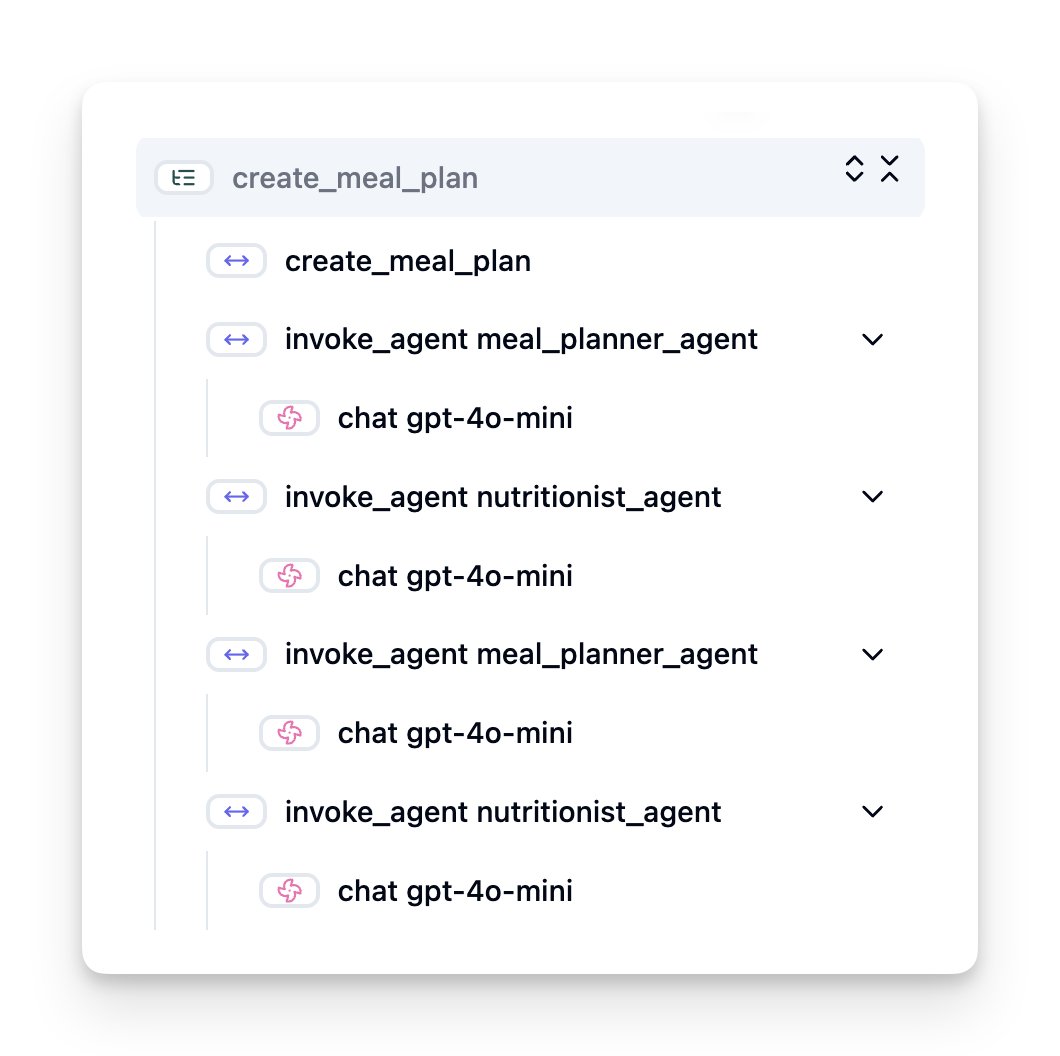
Without observability, an AI agent can feel like a "black box" - its internal state and reasoning are opaque, making it difficult to diagnose issues or optimize performance. With observability, agents become "glass boxes," offering transparency that is vital for building trust and ensuring they operate as intended.
Why Observability Matters in Production Environments
Transitioning AI agents to production environments introduces a new set of challenges and requirements. Observability is no longer a "nice-to-have" but a critical capability:
- Debugging and Root-Cause Analysis: When an agent fails or produces an unexpected output, observability tools provide the traces needed to pinpoint the source of the error. This is especially important in complex agents that might involve multiple LLM calls, tool interactions, and conditional logic.
- Latency and Cost Management: AI agents often rely on LLMs and other external APIs that are billed per token or per call. Observability allows for precise tracking of these calls, helping to identify operations that are excessively slow or expensive. This enables teams to optimize prompts, select more efficient models, or redesign workflows to manage operational costs and ensure a good user experience.
- Trust, Safety, and Compliance: In many applications, it's important to ensure that agents behave safely and ethically. Observability provides an audit trail of agent actions and decisions. This can be used to detect and mitigate issues like prompt injection, the generation of harmful content, or the mishandling of personally identifiable information (PII). For example, you can review traces to understand why an agent provided a certain response or used a specific tool.
- Continuous Improvement Loops: Observability data is the foundation of an iterative development process. By monitoring how agents perform in the real world, teams can identify areas for improvement, gather data for fine-tuning models, and validate the impact of changes. This creates a feedback loop where production insights from online evaluation inform offline experimentation and refinement, leading to progressively better agent performance.
Key Metrics to Track
To monitor and understand agent behavior, a range of metrics and signals should be tracked. While the specific metrics might vary based on the agent's purpose, some are universally important.
Here are some of the most common metrics that observability tools monitor:
Latency: How quickly does the agent respond? Long waiting times negatively impact user experience. You should measure latency for tasks and individual steps by tracing agent runs. For example, an agent that takes 20 seconds for all model calls could be accelerated by using a faster model or by running model calls in parallel.
Costs: What’s the expense per agent run? AI agents rely on LLM calls billed per token or external APIs. Frequent tool usage or multiple prompts can rapidly increase costs. For instance, if an agent calls an LLM five times for marginal quality improvement, you must assess if the cost is justified or if you could reduce the number of calls or use a cheaper model. Real-time monitoring can also help identify unexpected spikes (e.g., bugs causing excessive API loops).
Request Errors: How many requests did the agent fail? This can include API errors or failed tool calls. To make your agent more robust against these in production, you can then set up fallbacks or retries. E.g. if LLM provider A is down, you switch to LLM provider B as backup.
User Feedback: Implementing direct user evaluations provide valuable insights. This can include explicit ratings (👍thumbs-up/👎down, ⭐1-5 stars) or textual comments. Consistent negative feedback should alert you as this is a sign that the agent is not working as expected.
Implicit User Feedback: User behaviors provide indirect feedback even without explicit ratings. This can include immediate question rephrasing, repeated queries or clicking a retry button. E.g. if you see that users repeatedly ask the same question, this is a sign that the agent is not working as expected.
Accuracy: How frequently does the agent produce correct or desirable outputs? Accuracy definitions vary (e.g., problem-solving correctness, information retrieval accuracy, user satisfaction). The first step is to define what success looks like for your agent. You can track accuracy via automated checks, evaluation scores, or task completion labels. For example, marking traces as "succeeded" or "failed".
Automated Evaluation Metrics: You can also set up automated evals. For instance, you can use an LLM to score the output of the agent e.g. if it is helpful, accurate, or not. There are also several open source libraries that help you to score different aspects of the agent. E.g. RAGAS for RAG agents or LLM Guard to detect harmful language or prompt injection.
In practice, a combination of these metrics gives the best coverage of an AI agent’s health. In this chapters example notebook, we'll show you how these metrics looks in real examples but first, we'll learn how a typical evaluation workflow looks like.
Instrument your Agent
To gather tracing data, you’ll need to instrument your code. The goal is to instrument the agent code to emit traces and metrics that can be captured, processed, and visualized by an observability platform.
OpenTelemetry (OTel): OpenTelemetry has emerged as an industry standard for LLM observability. It provides a set of APIs, SDKs, and tools for generating, collecting, and exporting telemetry data.
There are many instrumentation libraries that wrap existing agent frameworks and make it easy to export OpenTelemetry spans to an observability tool. Microsoft Agent Framework integrates with OpenTelemetry natively. Below is an example on instrumenting a MAF agent:
from agent_framework.observability import get_tracer, get_meter

tracer = get_tracer()
meter = get_meter()

with tracer.start_as_current_span("agent_run"):
    # Agent execution is traced automatically
    pass
The example notebook in this chapter will demonstrate how to instrument your MAF agent.
Manual Span Creation: While instrumentation libraries provides a good baseline, there are often cases where more detailed or custom information is needed. You can manually create spans to add custom application logic. More importantly, they can enrich automatically or manually created spans with custom attributes (also known as tags or metadata). These attributes can include business-specific data, intermediate computations, or any context that might be useful for debugging or analysis, such as user_id, session_id, or model_version.
Example on creating traces and spans manually with the Langfuse Python SDK:
from langfuse import get_client

langfuse = get_client()

span = langfuse.start_span(name="my-span")

span.end()
Agent Evaluation
Observability gives us metrics, but evaluation is the process of analyzing that data (and performing tests) to determine how well an AI agent is performing and how it can be improved. In other words, once you have those traces and metrics, how do you use them to judge the agent and make decisions?
Regular evaluation is important because AI agents are often non-deterministic and can evolve (through updates or drifting model behavior) – without evaluation, you wouldn’t know if your “smart agent” is actually doing its job well or if it’s regressed.
There are two categories of evaluations for AI agents: online evaluation and offline evaluation. Both are valuable, and they complement each other. We usually begin with offline evaluation, as this is the minimum necessary step before deploying any agent.
Offline Evaluation
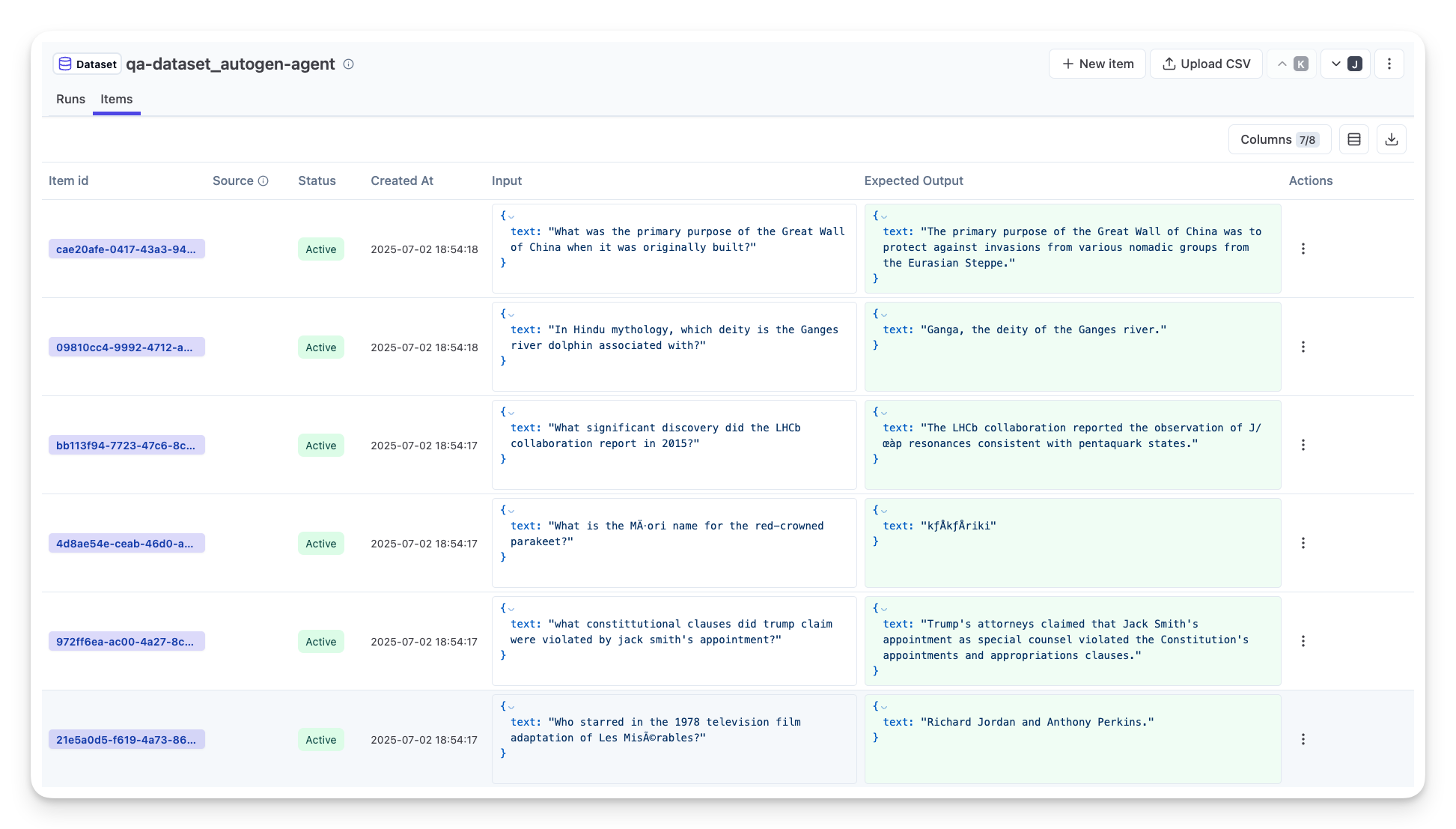
This involves evaluating the agent in a controlled setting, typically using test datasets, not live user queries. You use curated datasets where you know what the expected output or correct behavior is, and then run your agent on those.
For instance, if you built a math word-problem agent, you might have a test dataset of 100 problems with known answers. Offline evaluation is often done during development (and can be part of CI/CD pipelines) to check improvements or guard against regressions. The benefit is that it’s repeatable and you can get clear accuracy metrics since you have ground truth. You might also simulate user queries and measure the agent’s responses against ideal answers or use automated metrics as described above.
The key challenge with offline eval is ensuring your test dataset is comprehensive and stays relevant – the agent might perform well on a fixed test set but encounter very different queries in production. Therefore, you should keep test sets updated with new edge cases and examples that reflect real-world scenarios. A mix of small “smoke test” cases and larger evaluation sets is useful: small sets for quick checks and larger ones for broader performance metrics.
Online Evaluation
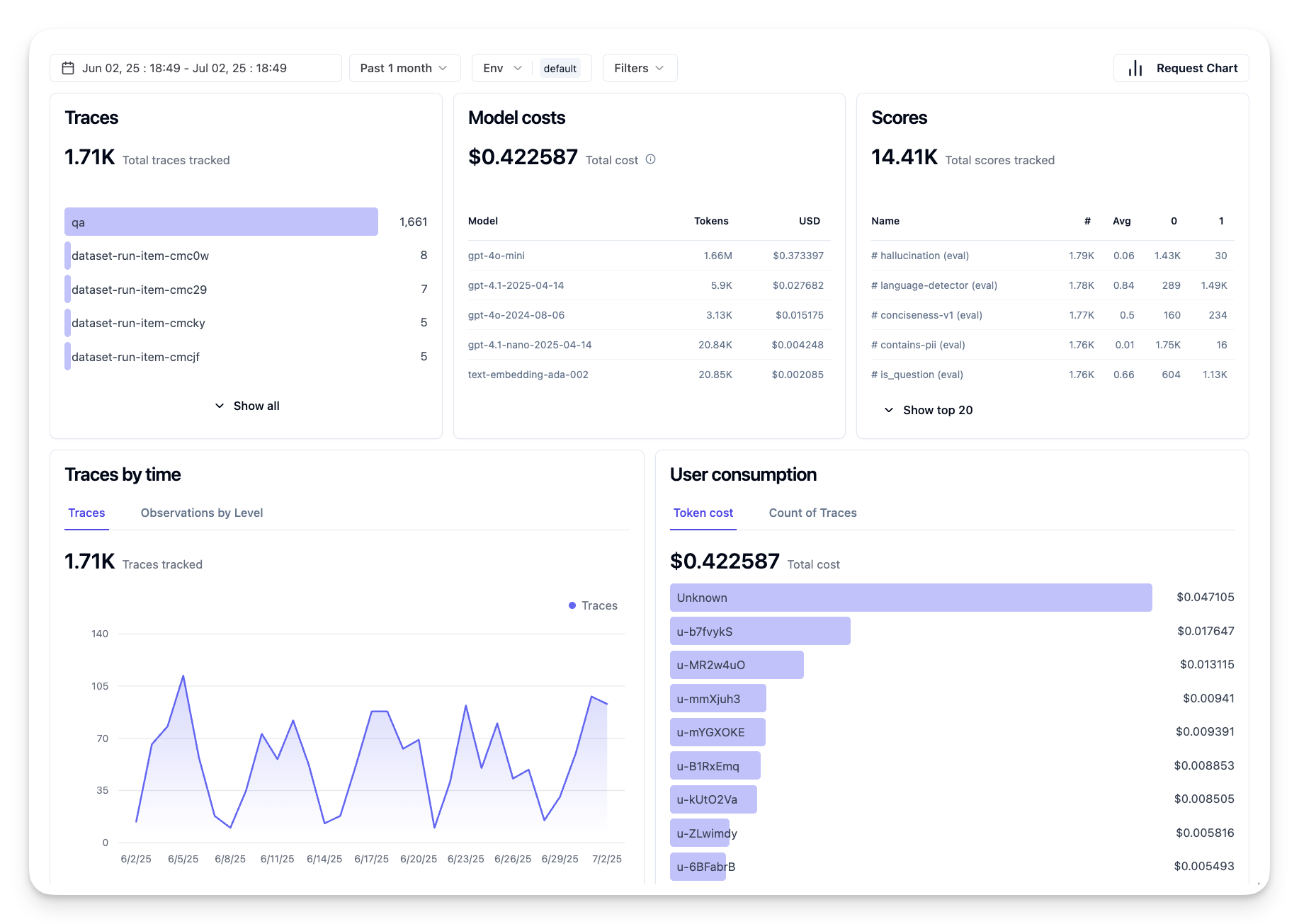
This refers to evaluating the agent in a live, real-world environment, i.e. during actual usage in production. Online evaluation involves monitoring the agent’s performance on real user interactions and analyzing outcomes continuously.
For example, you might track success rates, user satisfaction scores, or other metrics on live traffic. The advantage of online evaluation is that it captures things you might not anticipate in a lab setting – you can observe model drift over time (if the agent’s effectiveness degrades as input patterns shift) and catch unexpected queries or situations that weren’t in your test data. It provides a true picture of how the agent behaves in the wild.
Online evaluation often involves collecting implicit and explicit user feedback, as discussed, and possibly running shadow tests or A/B tests (where a new version of the agent runs in parallel to compare against the old). The challenge is that it can be tricky to get reliable labels or scores for live interactions – you might rely on user feedback or downstream metrics (like did the user click the result).
Combining the two
Online and offline evaluations are not mutually exclusive; they are highly complementary. Insights from online monitoring (e.g., new types of user queries where the agent performs poorly) can be used to augment and improve offline test datasets. Conversely, agents that perform well in offline tests can then be more confidently deployed and monitored online.
In fact, many teams adopt a loop:
evaluate offline -> deploy -> monitor online -> collect new failure cases -> add to offline dataset -> refine agent -> repeat.
Common Issues
As you deploy AI agents to production, you may encounter various challenges. Here are some common issues and their potential solutions:
| Issue | Potential Solution |
|---|---|
| AI Agent not performing tasks consistently | - Refine the prompt given to the AI Agent; be clear on objectives. - Identify where dividing the tasks into subtasks and handling them by multiple agents can help. |
| AI Agent running into continuous loops | - Ensure you have clear termination terms and conditions so the Agent knows when to stop the process. - For complex tasks that require reasoning and planning, use a larger model that is specialized for reasoning tasks. |
| AI Agent tool calls are not performing well | - Test and validate the tool's output outside of the agent system. - Refine the defined parameters, prompts, and naming of tools. |
| Multi-Agent system not performing consistently | - Refine prompts given to each agent to ensure they are specific and distinct from one another. - Build a hierarchical system using a "routing" or controller agent to determine which agent is the correct one. |
Many of these issues can be identified more effectively with observability in place. The traces and metrics we discussed earlier help pinpoint exactly where in the agent workflow problems occur, making debugging and optimization much more efficient.
Managing Costs
Here are some strategies to manage the costs of deploying AI agents to production:
Using Smaller Models: Small Language Models (SLMs) can perform well on certain agentic use-cases and will reduce costs significantly. As mentioned earlier, building an evaluation system to determine and compare performance vs larger models is the best way to understand how well an SLM will perform on your use case. Consider using SLMs for simpler tasks like intent classification or parameter extraction, while reserving larger models for complex reasoning.
Using a Router Model: A similar strategy is to use a diversity of models and sizes. You can use an LLM/SLM or serverless function to route requests based on complexity to the best fit models. This will also help reduce costs while also ensuring performance on the right tasks. For example, route simple queries to smaller, faster models, and only use expensive large models for complex reasoning tasks.
Caching Responses: Identifying common requests and tasks and providing the responses before they go through your agentic system is a good way to reduce the volume of similar requests. You can even implement a flow to identify how similar a request is to your cached requests using more basic AI models. This strategy can significantly reduce costs for frequently asked questions or common workflows.
Lets see how this works in practice
In the example notebook of this section, we’ll see examples of how we can use observability tools to monitor and evaluate our agent.
Using Agentic Protocols (MCP, A2A and NLWeb)
As the use of AI agents grows, so does the need for protocols that ensure standardization, security, and support open innovation. In this lesson, we will cover 3 protocols looking to meet this need - Model Context Protocol (MCP), Agent to Agent (A2A) and Natural Language Web (NLWeb).
Introduction
In this lesson, we will cover:
• How MCP allows AI Agents to access external tools and data to complete user tasks.
• How A2A enables communication and collaboration between different AI agents.
• How NLWeb brings natural language interfaces to any website enabling AI Agents to discover and interact with the content.
Learning Goals
• Identify the core purpose and benefits of MCP, A2A, and NLWeb in the context of AI agents.
• Explain how each protocol facilitates communication and interaction between LLMs, tools, and other agents.
• Recognize the distinct roles each protocol plays in building complex agentic systems.
Model Context Protocol
The Model Context Protocol (MCP) is an open standard that provides standardized way for applications to provide context and tools to LLMs. This enables a "universal adaptor" to different data sources and tools that AI Agents can connect to in a consistent way.
Let’s look at the components of MCP, the benefits compared to direct API usage, and an example of how AI agents might use an MCP server.
MCP Core Components
MCP operates on a client-server architecture and the core components are:
• Hosts are LLM applications (for example a code editor like VSCode) that start the connections to an MCP Server.
• Clients are components within the host application that maintain one-to-one connections with servers.
• Servers are lightweight programs that expose specific capabilities.
Included in the protocol are three core primitives which are the capabilities of an MCP Server:
• Tools: These are discrete actions or functions an AI agent can call to perform an action. For example, a weather service might expose a "get weather" tool, or an e-commerce server might expose a "purchase product" tool. MCP servers advertise each tool's name, description, and input/output schema in their capabilities listing.
• Resources: These are read-only data items or documents that an MCP server can provide, and clients can retrieve them on demand. Examples include file contents, database records, or log files. Resources can be text (like code or JSON) or binary (like images or PDFs).
• Prompts: These are predefined templates that provide suggested prompts, allowing for more complex workflows.
Benefits of MCP
MCP offers significant advantages for AI Agents:
• Dynamic Tool Discovery: Agents can dynamically receive a list of available tools from a server along with descriptions of what they do. This contrasts with traditional APIs, which often require static coding for integrations, meaning any API change necessitates code updates. MCP offers an "integrate once" approach, leading to greater adaptability.
• Interoperability Across LLMs: MCP works across different LLMs, providing flexibility to switch core models to evaluate for better performance.
• Standardized Security: MCP includes a standard authentication method, improving scalability when adding access to additional MCP servers. This is simpler than managing different keys and authentication types for various traditional APIs.
MCP Example
Imagine a user wants to book a flight using an AI assistant powered by MCP.
Connection: The AI assistant (the MCP client) connects to an MCP server provided by an airline.
Tool Discovery: The client asks the airline's MCP server, "What tools do you have available?" The server responds with tools like "search flights" and "book flights".
Tool Invocation: You then ask the AI assistant, "Please search for a flight from Portland to Honolulu." The AI assistant, using its LLM, identifies that it needs to call the "search flights" tool and passes the relevant parameters (origin, destination) to the MCP server.
Execution and Response: The MCP server, acting as a wrapper, makes the actual call to the airline's internal booking API. It then receives the flight information (e.g., JSON data) and sends it back to the AI assistant.
Further Interaction: The AI assistant presents the flight options. Once you select a flight, the assistant might invoke the "book flight" tool on the same MCP server, completing the booking.
Agent-to-Agent Protocol (A2A)
While MCP focuses on connecting LLMs to tools, the Agent-to-Agent (A2A) protocol takes it a step further by enabling communication and collaboration between different AI agents. A2A connects AI agents across different organizations, environments and tech stacks to complete a shared task.
We’ll examine the components and benefits of A2A, along with an example of how it could be applied in our travel application.
A2A Core Components
A2A focuses on enabling communication between agents and having them work together to complete a subtask of user. Each component of the protocol contributes to this:
Agent Card
Similar to how an MCP server shares a list of tools, an Agent Card has:
- The Name of the Agent .
- A description of the general tasks it completes.
- A list of specific skills with descriptions to help other agents (or even human users) understand when and why they would want to call that agent.
- The current Endpoint URL of the agent
- The version and capabilities of the agent such as streaming responses and push notifications.
Agent Executor
The Agent Executor is responsible for passing the context of the user chat to the remote agent, the remote agent needs this to understand the task that needs to be completed. In an A2A server, an agent uses its own Large Language Model (LLM) to parse incoming requests and execute tasks using its own internal tools.
Artifact
Once a remote agent has completed the requested task, its work product is created as an artifact. An artifact contains the result of the agent's work, a description of what was completed, and the text context that is sent through the protocol. After the artifact is sent, the connection with the remote agent is closed until it is needed again.
Event Queue
This component is used for handling updates and passing messages. It is particularly important in production for agentic systems to prevent the connection between agents from being closed before a task is completed, especially when task completion times can take a longer time.
Benefits of A2A
• Enhanced Collaboration: It enables agents from different vendors and platforms to interact, share context, and work together, facilitating seamless automation across traditionally disconnected systems.
• Model Selection Flexibility: Each A2A agent can decide which LLM it uses to service its requests, allowing for optimized or fine-tuned models per agent, unlike a single LLM connection in some MCP scenarios.
• Built-in Authentication: Authentication is integrated directly into the A2A protocol, providing a robust security framework for agent interactions.
A2A Example
Let's expand on our travel booking scenario, but this time using A2A.
User Request to Multi-Agent: A user interacts with a "Travel Agent" A2A client/agent, perhaps by saying, "Please book an entire trip to Honolulu for next week, including flights, a hotel, and a rental car".
Orchestration by Travel Agent: The Travel Agent receives this complex request. It uses its LLM to reason about the task and determine that it needs to interact with other specialized agents.
Inter-Agent Communication: The Travel Agent then uses the A2A protocol to connect to downstream agents, such as an "Airline Agent," a "Hotel Agent," and a "Car Rental Agent" that are created by different companies.
Delegated Task Execution: The Travel Agent sends specific tasks to these specialized agents (e.g., "Find flights to Honolulu," "Book a hotel," "Rent a car"). Each of these specialized agents, running their own LLMs and utilizing their own tools (which could be MCP servers themselves), performs its specific part of the booking.
Consolidated Response: Once all downstream agents complete their tasks, the Travel Agent compiles the results (flight details, hotel confirmation, car rental booking) and sends a comprehensive, chat-style response back to the user.
Natural Language Web (NLWeb)
Websites have long been the primary way for users to access information and data across the internet.
Let us look at the different components of NLWeb, the benefits of NLWeb and an example how our NLWeb works by looking at our travel application.
Components of NLWeb
NLWeb Application (Core Service Code): The system that processes natural language questions. It connects the different parts of the platform to create responses. You can think of it as the engine that powers the natural language features of a website.
NLWeb Protocol: This is a basic set of rules for natural language interaction with a website. It sends back responses in JSON format (often using Schema.org). Its purpose is to create a simple foundation for the “AI Web,” in the same way that HTML made it possible to share documents online.
MCP Server (Model Context Protocol Endpoint): Each NLWeb setup also works as an MCP server. This means it can share tools (like an “ask” method) and data with other AI systems. In practice, this makes the website’s content and abilities usable by AI agents, allowing the site to become part of the wider “agent ecosystem.”
Embedding Models: These models are used to convert website content into numerical representations called vectors (embeddings). These vectors capture meaning in a way computers can compare and search. They are stored in a special database, and users can choose which embedding model they want to use.
Vector Database (Retrieval Mechanism): This database stores the embeddings of the website content. When someone asks a question, NLWeb checks the vector database to quickly find the most relevant information. It gives a fast list of possible answers, ranked by similarity. NLWeb works with different vector storage systems such as Qdrant, Snowflake, Milvus, Azure AI Search, and Elasticsearch.
NLWeb by Example
Consider our travel booking website again, but this time, it's powered by NLWeb.
Data Ingestion: The travel website's existing product catalogs (e.g., flight listings, hotel descriptions, tour packages) are formatted using Schema.org or loaded via RSS feeds. NLWeb's tools ingest this structured data, create embeddings, and store them in a local or remote vector database.
Natural Language Query (Human): A user visits the website and, instead of navigating menus, types into a chat interface: "Find me a family-friendly hotel in Honolulu with a pool for next week".
NLWeb Processing: The NLWeb application receives this query. It sends the query to an LLM for understanding and simultaneously searches its vector database for relevant hotel listings.
Accurate Results: The LLM helps to interpret the search results from the database, identify the best matches based on "family-friendly," "pool," and "Honolulu" criteria, and then formats a natural language response. Crucially, the response refers to actual hotels from the website's catalog, avoiding made-up information.
AI Agent Interaction: Because NLWeb serves as an MCP server, an external AI travel agent could also connect to this website's NLWeb instance. The AI agent could then use the
askMCP method to query the website directly:ask("Are there any vegan-friendly restaurants in the Honolulu area recommended by the hotel?"). The NLWeb instance would process this, leveraging its database of restaurant information (if loaded), and return a structured JSON response.
Resources
Context Engineering for AI Agents
Understanding the complexity of the application you are building an AI agent for is important to making a reliable one. We need to build AI Agents that effectively manage information to address complex needs beyond prompt engineering.
In this lesson, we will look at what context engineering is and its role in building AI agents.
Introduction
This lesson will cover:
• What Context Engineering is and why it's different from prompt engineering.
• Strategies for effective Context Engineering, including how to write, select, compress, and isolate information.
• Common Context Failures that can derail your AI agent and how to fix them.
Learning Goals
After completing this lesson, you will know understand how to:
• Define context engineering and differentiate it from prompt engineering.
• Identify the key components of context in Large Language Model (LLM) applications.
• Apply strategies for writing, selecting, compressing, and isolating context to improve agent performance.
• Recognize common context failures such as poisoning, distraction, confusion, and clash, and implement mitigation techniques.
What is Context Engineering?
For AI Agents, context is what drives the planning of an AI Agent to take certain actions. Context Engineering is the practice of making sure the AI Agent has the right information to complete the next step of the task. The context window is limited in size, so as agent builders we need to build systems and processes to manage adding, removing, and condensing the information in the context window.
Prompt Engineering vs Context Engineering
Prompt engineering is focused on a single set of static instructions to effectively guide the AI Agents with a set of rules. Context engineering is how to manage a dynamic set of information, including the initial prompt, to ensure that the AI Agent has what it needs over time. The main idea around context engineering is to make this process repeatable and reliable.
Types of Context
It is important to remember that context is not just one thing. The information that the AI Agent needs can come from a variety of different sources and it is up to us to ensure the agent has access to these sources:
The types of context an AI agent might need to manage include:
• Instructions: These are like the agent's "rules" – prompts, system messages, few-shot examples (showing the AI how to do something), and descriptions of tools it can use. This is where the focus of prompt engineering combines with context engineering.
• Knowledge: This covers facts, information retrieved from databases, or long-term memories the agent has accumulated. This includes integrating a Retrieval Augmented Generation (RAG) system if an agent needs access to different knowledge stores and databases.
• Tools: These are the definitions of external functions, APIs and MCP Servers that the agent can call, along with the feedback (results) it gets from using them.
• Conversation History: The ongoing dialogue with a user. As time passes, these conversations become longer and more complex which means they take up space in the context window.
• User Preferences: Information learned about a user's likes or dislikes over time. These could be stored and called upon when making key decisions to help the user.
Strategies for Effective Context Engineering
Planning Strategies
Good context engineering starts with good planning. Here is an approach that will help you start to think about how to apply the concept of context engineering:
- Define Clear Results - The results of the tasks that AI Agents will be assigned should be clearly defined. Answer the question - "What will the world look like when the AI Agent is done with its task?" In other words, what change, information, or response should the user have after interacting with the AI Agent.
- Map the Context - Once you have defined the results of the AI Agent, you need to answer the question of "What information does the AI Agent need in order to complete this task?". This way you can start to map the context of where that information can be located.
- Create Context Pipelines - Now that you know where the information is, you need to answer the question "How will the Agent get this information?". This can be done in a variety of ways including RAG, use of MCP servers and other tools.
Practical Strategies
Planning is important but once the information starts to flow into our agent's context window, we need to have practical strategies to manage it:
Managing Context
While some information will be added to the context window automatically, context engineering is about taking a more active role of this information which can be done by a few strategies:
Agent Scratchpad This allows for an AI Agent to takes notes of relevant information about the current tasks and user interactions during a single session. This should exist outside of the context window in a file or runtime object that the agent can later retrieve during this session if needed.
Memories Scratchpads are good for managing information outside of the context window of a single session. Memories enable agents to store and retrieve relevant information across multiple sessions. This could include summaries, user preferences and feedback for improvements in the future.
Compressing Context Once the context window grows and is nearing its limit, techniques such as summarization and trimming can be used. This includes either keeping only the most relevant information or removing older messages.
Multi-Agent Systems Developing multi-agent system is a form of context engineering because each agent has its own context window. How that context is shared and passed to different agents is another thing to plan out when building these systems.
Sandbox Environments If an agent needs to run some code or process large amounts of information in a document, this can take a large amount of tokens to process the results. Instead of having this all stored in the context window, the agent can use a sandbox environment that is able to run this code and only read the results and other relevant information.
Runtime State Objects This is done by creating containers of information to manage situations when the Agent needs to have access to certain information. For a complex task, this would enable an Agent to store the results of each subtask step by step, allowing the context to remain connected only to that specific subtask.
Example of Context Engineering
Let's say we want an AI agent to "Book me a trip to Paris."
• A simple agent using only prompt engineering might just respond: "Okay, when would you like to go to Paris?". It only processed your direct question at the time that the user asked.
• An agent using the context engineering strategies covered would do much more. Before even responding, its system might:
◦ Check your calendar for available dates (retrieving real-time data).
◦ Recall past travel preferences (from long-term memory) like your preferred airline, budget, or whether you prefer direct flights.
◦ Identify available tools for flight and hotel booking.
- Then, an example response could be: "Hey [Your Name]! I see you're free the first week of October. Shall I look for direct flights to Paris on [Preferred Airline] within your usual budget of [Budget]?". This richer, context-aware response demonstrates the power of context engineering.
Common Context Failures
Context Poisoning
What it is: When a hallucination (false information generated by the LLM) or an error enters the context and is repeatedly referenced, causing the agent to pursue impossible goals or develop nonsense strategies.
What to do: Implement context validation and quarantine. Validate information before it's added to long-term memory. If potential poisoning is detected, start fresh context threads to prevent the bad information from spreading.
Travel Booking Example: Your agent hallucinates a direct flight from a small local airport to a distant international city that doesn't actually offer international flights. This non-existent flight detail gets saved into the context. Later, when you ask the agent to book, it keeps trying to find tickets for this impossible route, leading to repeated errors.
Solution: Implement a step that validates flight existence and routes with a real-time API before adding the flight detail to the agent's working context. If the validation fails, the erroneous information is "quarantined" and not used further.
Context Distraction
What it is: When the context becomes so large that the model focuses too much on the accumulated history instead of using what it learned during training, leading to repetitive or unhelpful actions. Models may begin making mistakes even before the context window is full.
What to do: Use context summarization. Periodically compress accumulated information into shorter summaries, keeping important details while removing redundant history. This helps "reset" the focus.
Travel Booking Example: You've been discussing various dream travel destinations for a long time, including a detailed recounting of your backpacking trip from two years ago. When you finally ask to "find me a cheap flight for next month," the agent gets bogged down in the old, irrelevant details and keeps asking about your backpacking gear or past itineraries, neglecting your current request.
Solution: After a certain number of turns or when the context grows too large, the agent should summarize the most recent and relevant parts of the conversation – focusing on your current travel dates and destination – and use that condensed summary for the next LLM call, discarding the less relevant historical chat.
Context Confusion
What it is: When unnecessary context, often in the form of too many available tools, causes the model to generate bad responses or call irrelevant tools. Smaller models are especially prone to this.
What to do: Implement tool loadout management using RAG techniques. Store tool descriptions in a vector database and select only the most relevant tools for each specific task. Research shows limiting tool selections to fewer than 30.
Travel Booking Example: Your agent has access to dozens of tools: book_flight, book_hotel, rent_car, find_tours, currency_converter, weather_forecast, restaurant_reservations, etc. You ask, "What's the best way to get around Paris?" Due to the sheer number of tools, the agent gets confused and attempts to call book_flight within Paris, or rent_car even though you prefer public transport, because the tool descriptions might overlap or it simply can't discern the best one.
Solution: Use RAG over tool descriptions. When you ask about getting around Paris, the system dynamically retrieves only the most relevant tools like rent_car or public_transport_info based on your query, presenting a focused "loadout" of tools to the LLM.
Context Clash
What it is: When conflicting information exists within the context, leading to inconsistent reasoning or bad final responses. This often happens when information arrives in stages, and early, incorrect assumptions remain in the context.
What to do: Use context pruning and offloading. Pruning means removing outdated or conflicting information as new details arrive. Offloading gives the model a separate "scratchpad" workspace to process information without cluttering the main context.
Travel Booking Example: You initially tell your agent, "I want to fly economy class." Later in the conversation, you change your mind and say, "Actually, for this trip, let's go business class." If both instructions remain in the context, the agent might receive conflicting search results or get confused about which preference to prioritize.
Solution: Implement context pruning. When a new instruction contradicts an old one, the older instruction is removed or explicitly overridden in the context. Alternatively, the agent can use a scratchpad to reconcile conflicting preferences before deciding, ensuring only the final, consistent instruction guides its actions.
Memory for AI Agents
When discussing the unique benefits of creating AI Agents, two things are mainly discussed: the ability to call tools to complete tasks and the ability to improve over time. Memory is at the foundation of creating self-improving agent that can create better experiences for our users.
In this lesson, we will look at what memory is for AI Agents and how we can manage it and use it for the benefit of our applications.
Introduction
This lesson will cover:
• Understanding AI Agent Memory: What memory is and why it's essential for agents.
• Implementing and Storing Memory: Practical methods for adding memory capabilities to your AI agents, focusing on short-term and long-term memory.
• Making AI Agents Self-Improving: How memory enables agents to learn from past interactions and improve over time.
Available Implementations
This lesson includes two comprehensive notebook tutorials:
• 13-agent-memory.ipynb: Implements memory using Mem0 and Azure AI Search with Microsoft Agent Framework
• 13-agent-memory-cognee.ipynb: Implements structured memory using Cognee, automatically building knowledge graph backed by embeddings, visualizing graph, and intelligent retrieval
Learning Goals
After completing this lesson, you will know how to:
• Differentiate between various types of AI agent memory, including working, short-term, and long-term memory, as well as specialized forms like persona and episodic memory.
• Implement and manage short-term and long-term memory for AI agents using Microsoft Agent Framework, leveraging tools like Mem0, Cognee, Whiteboard memory, and integrating with Azure AI Search.
• Understand the principles behind self-improving AI agents and how robust memory management systems contribute to continuous learning and adaptation.
Understanding AI Agent Memory
At its core, memory for AI agents refers to the mechanisms that allow them to retain and recall information. This information can be specific details about a conversation, user preferences, past actions, or even learned patterns.
Without memory, AI applications are often stateless, meaning each interaction starts from scratch. This leads to a repetitive and frustrating user experience where the agent "forgets" previous context or preferences.
Why is Memory Important?
an agent's intelligence is deeply tied to its ability to recall and utilize past information. Memory allows agents to be:
• Reflective: Learning from past actions and outcomes.
• Interactive: Maintaining context over an ongoing conversation.
• Proactive and Reactive: Anticipating needs or responding appropriately based on historical data.
• Autonomous: Operating more independently by drawing on stored knowledge.
The goal of implementing memory is to make agents more reliable and capable.
Types of Memory
Working Memory
Think of this as a piece of scratch paper an agent uses during a single, ongoing task or thought process. It holds immediate information needed to compute the next step.
For AI agents, working memory often captures the most relevant information from a conversation, even if the full chat history is long or truncated. It focuses on extracting key elements like requirements, proposals, decisions, and actions.
Working Memory Example
In a travel booking agent, working memory might capture the user's current request, such as "I want to book a trip to Paris". This specific requirement is held in the agent's immediate context to guide the current interaction.
Short Term Memory
This type of memory retains information for the duration of a single conversation or session. It's the context of the current chat, allowing the agent to refer back to previous turns in the dialogue.
Short Term Memory Example
If a user asks, "How much would a flight to Paris cost?" and then follows up with "What about accommodation there?", short-term memory ensures the agent knows "there" refers to "Paris" within the same conversation.
Long Term Memory
This is information that persists across multiple conversations or sessions. It allows agents to remember user preferences, historical interactions, or general knowledge over extended periods. This is important for personalization.
Long Term Memory Example
A long-term memory might store that "Ben enjoys skiing and outdoor activities, likes coffee with a mountain view, and wants to avoid advanced ski slopes due to a past injury". This information, learned from previous interactions, influences recommendations in future travel planning sessions, making them highly personalized.
Persona Memory
This specialized memory type helps an agent develop a consistent "personality" or "persona". It allows the agent to remember details about itself or its intended role, making interactions more fluid and focused.
Persona Memory Example If the travel agent is designed to be an "expert ski planner," persona memory might reinforce this role, influencing its responses to align with an expert's tone and knowledge.
Workflow/Episodic Memory
This memory stores the sequence of steps an agent takes during a complex task, including successes and failures. It's like remembering specific "episodes" or past experiences to learn from them.
Episodic Memory Example
If the agent attempted to book a specific flight but it failed due to unavailability, episodic memory could record this failure, allowing the agent to try alternative flights or inform the user about the issue in a more informed way during a subsequent attempt.
Entity Memory
This involves extracting and remembering specific entities (like people, places, or things) and events from conversations. It allows the agent to build a structured understanding of key elements discussed.
Entity Memory Example
From a conversation about a past trip, the agent might extract "Paris," "Eiffel Tower," and "dinner at Le Chat Noir restaurant" as entities. In a future interaction, the agent could recall "Le Chat Noir" and offer to make a new reservation there.
Structured RAG (Retrieval Augmented Generation)
While RAG is a broader technique, "Structured RAG" is highlighted as a powerful memory technology. It extracts dense, structured information from various sources (conversations, emails, images) and uses it to enhance precision, recall, and speed in responses. Unlike classic RAG that relies solely on semantic similarity, Structured RAG works with the inherent structure of information.
Structured RAG Example
Instead of just matching keywords, Structured RAG could parse flight details (destination, date, time, airline) from an email and store them in a structured way. This allows precise queries like "What flight did I book to Paris on Tuesday?"
Implementing and Storing Memory
Implementing memory for AI agents involves a systematic process of memory management, which includes generating, storing, retrieving, integrating, updating, and even "forgetting" (or deleting) information. Retrieval is a particularly crucial aspect.
Specialized Memory Tools
Mem0
One way to store and manage agent memory is using specialized tools like Mem0. Mem0 works as a persistent memory layer, allowing agents to recall relevant interactions, store user preferences and factual context, and learn from successes and failures over time. The idea here is that stateless agents turn into stateful ones.
It works through a two-phase memory pipeline: extraction and update. First, messages added to an agent's thread are sent to the Mem0 service, which uses a Large Language Model (LLM) to summarize conversation history and extract new memories. Subsequently, an LLM-driven update phase determines whether to add, modify, or delete these memories, storing them in a hybrid data store that can include vector, graph, and key-value databases. This system also supports various memory types and can incorporate graph memory for managing relationships between entities.
Cognee
Another powerful approach is using Cognee, an open-source semantic memory for AI agents that transforms structured and unstructured data into queryable knowledge graphs backed by embeddings. Cognee provides a dual-store architecture combining vector similarity search with graph relationships, enabling agents to understand not just what information is similar, but how concepts relate to each other.
It excels at hybrid retrieval that blends vector similarity, graph structure, and LLM reasoning - from raw chunk lookup to graph-aware question answering. The system maintains living memory that evolves and grows while remaining queryable as one connected graph, supporting both short-term session context and long-term persistent memory.
The Cognee notebook tutorial (13-agent-memory-cognee.ipynb) demonstrates building this unified memory layer, with practical examples of ingesting diverse data sources, visualizing the knowledge graph, and querying with different search strategies tailored to specific agent needs.
Storing Memory with RAG
Beyond specialized memory tools like mem0 , you can leverage robust search services like Azure AI Search as a backend for storing and retrieving memories, especially for structured RAG.
This allows you to ground your agent's responses with your own data, ensuring more relevant and accurate answers. Azure AI Search can be used to store user-specific travel memories, product catalogs, or any other domain-specific knowledge.
Azure AI Search supports capabilities like Structured RAG, which excels at extracting and retrieving dense, structured information from large datasets like conversation histories, emails, or even images. This provides "superhuman precision and recall" compared to traditional text chunking and embedding approaches.
Making AI Agents Self-Improve
A common pattern for self-improving agents involves introducing a "knowledge agent". This separate agent observes the main conversation between the user and the primary agent. Its role is to:
Identify valuable information: Determine if any part of the conversation is worth saving as general knowledge or a specific user preference.
Extract and summarize: Distill the essential learning or preference from the conversation.
Store in a knowledge base: Persist this extracted information, often in a vector database, so it can be retrieved later.
Augment future queries: When the user initiates a new query, the knowledge agent retrieves relevant stored information and appends it to the user's prompt, providing crucial context to the primary agent (similar to RAG).
Optimizations for Memory
• Latency Management: To avoid slowing down user interactions, a cheaper, faster model can be used initially to quickly check if information is valuable to store or retrieve, only invoking the more complex extraction/retrieval process when necessary.
• Knowledge Base Maintenance: For a growing knowledge base, less frequently used information can be moved to "cold storage" to manage costs.
Exploring Microsoft Agent Framework
Introduction
This lesson will cover:
- Understanding Microsoft Agent Framework: Key Features and Value
- Exploring the Key Concepts of Microsoft Agent Framework
- Advanced MAF Patterns: Workflows, Middleware, and Memory
Learning Goals
After completing this lesson, you will know how to:
- Build Production Ready AI Agents using Microsoft Agent Framework
- Apply the core features of Microsoft Agent Framework to your Agentic Use Cases
- Use advanced patterns including workflows, middleware, and observability
Code Samples
Code samples for Microsoft Agent Framework (MAF) can be found in this repository under xx-python-agent-framework and xx-dotnet-agent-framework files.
Understanding Microsoft Agent Framework
Microsoft Agent Framework (MAF) is Microsoft's unified framework for building AI agents. It offers the flexibility to address the wide variety of agentic use cases seen in both production and research environments including:
- Sequential Agent orchestration in scenarios where step-by-step workflows are needed.
- Concurrent orchestration in scenarios where agents need to complete tasks at the same time.
- Group chat orchestration in scenarios where agents can collaborate together on one task.
- Handoff Orchestration in scenarios where agents hand off the task to one another as the subtasks are completed.
- Magnetic Orchestration in scenarios where a manager agent creates and modifies a task list and handles the coordination of subagents to complete the task.
To deliver AI Agents in Production, MAF also has included features for:
- Observability through the use of OpenTelemetry where every action of the AI Agent including tool invocation, orchestration steps, reasoning flows and performance monitoring through Microsoft Foundry dashboards.
- Security by hosting agents natively on Microsoft Foundry which includes security controls such as role-based access, private data handling and built-in content safety.
- Durability as Agent threads and workflows can pause, resume and recover from errors which enables longer running process.
- Control as human in the loop workflows are supported where tasks are marked as requiring human approval.
Microsoft Agent Framework is also focused on being interoperable by:
- Being Cloud-agnostic - Agents can run in containers, on-prem and across multiple different clouds.
- Being Provider-agnostic - Agents can be created through your preferred SDK including Azure OpenAI and OpenAI
- Integrating Open Standards - Agents can utilize protocols such as Agent-to-Agent(A2A) and Model Context Protocol (MCP) to discover and use other agents and tools.
- Plugins and Connectors - Connections can be made to data and memory services such as Microsoft Fabric, SharePoint, Pinecone and Qdrant.
Let's look at how these features are applied to some of the core concepts of Microsoft Agent Framework.
Key Concepts of Microsoft Agent Framework
Agents
Creating Agents
Agent creation is done by defining the inference service (LLM Provider), a
set of instructions for the AI Agent to follow, and an assigned name:
agent = AzureOpenAIChatClient(credential=AzureCliCredential()).create_agent( instructions="You are good at recommending trips to customers based on their preferences.", name="TripRecommender" )
The above is using Azure OpenAI but agents can be created using a variety of services including Microsoft Foundry Agent Service:
AzureAIAgentClient(async_credential=credential).create_agent( name="HelperAgent", instructions="You are a helpful assistant." ) as agent
OpenAI Responses, ChatCompletion APIs
agent = OpenAIResponsesClient().create_agent( name="WeatherBot", instructions="You are a helpful weather assistant.", )
agent = OpenAIChatClient().create_agent( name="HelpfulAssistant", instructions="You are a helpful assistant.", )
or remote agents using the A2A protocol:
agent = A2AAgent( name=agent_card.name, description=agent_card.description, agent_card=agent_card, url="https://your-a2a-agent-host" )
Running Agents
Agents are run using the .run or .run_stream methods for either non-streaming or streaming responses.
result = await agent.run("What are good places to visit in Amsterdam?")
print(result.text)
async for update in agent.run_stream("What are the good places to visit in Amsterdam?"):
    if update.text:
        print(update.text, end="", flush=True)
Each agent run can also have options to customize parameters such as max_tokens used by the agent, tools that agent is able to call, and even the model itself used for the agent.
This is useful in cases where specific models or tools are required for completing a user's task.
Tools
Tools can be defined both when defining the agent:
def get_attractions( location: Annotated[str, Field(description="The location to get the top tourist attractions for")], ) -> str: """Get the top tourist attractions for a given location.""" return f"The top attractions for {location} are."


# When creating a ChatAgent directly

agent = ChatAgent( chat_client=OpenAIChatClient(), instructions="You are a helpful assistant", tools=[get_attractions]
and also when running the agent:
result1 = await agent.run( "What's the best place to visit in Seattle?", tools=[get_attractions] # Tool provided for this run only )
Agent Threads
Agent Threads are used to handle multi-turn conversations. Threads can be created by either by:
- Using
get_new_thread()which enables the thread to be saved over time - Creating a thread automatically when running an agent and only having the thread last during the current run.
To create a thread, the code looks like this:
# Create a new thread.
thread = agent.get_new_thread() # Run the agent with the thread.
response = await agent.run("Hello, I am here to help you book travel. Where would you like to go?", thread=thread)
You can then serialize the thread to be stored for later use:
# Create a new thread.
thread = agent.get_new_thread()

# Run the agent with the thread.

response = await agent.run("Hello, how are you?", thread=thread)

# Serialize the thread for storage.

serialized_thread = await thread.serialize()

# Deserialize the thread state after loading from storage.

resumed_thread = await agent.deserialize_thread(serialized_thread)
Agent Middleware
Agents interact with tools and LLMs to complete user's tasks. In certain scenarios, we want to execute or track in between these it interactions. Agent middleware enables us to do this through:
Function Middleware
This middleware allows us to execute an action between the agent and a function/tool that it will be calling. An example of when this would be used is when you might want to do some logging on the function call.
In the code below next defines if the next middleware or the actual function should be called.
async def logging_function_middleware(
    context: FunctionInvocationContext,
    next: Callable[[FunctionInvocationContext], Awaitable[None]],
) -> None:
    """Function middleware that logs function execution."""
    # Pre-processing: Log before function execution
    print(f"[Function] Calling {context.function.name}")

    # Continue to next middleware or function execution
    await next(context)

    # Post-processing: Log after function execution
    print(f"[Function] {context.function.name} completed")
Chat Middleware
This middleware allows us to execute or log an action between the agent and the requests between the LLM .
This contains important information such as the messages that are being sent to the AI service.
async def logging_chat_middleware(
    context: ChatContext,
    next: Callable[[ChatContext], Awaitable[None]],
) -> None:
    """Chat middleware that logs AI interactions."""
    # Pre-processing: Log before AI call
    print(f"[Chat] Sending {len(context.messages)} messages to AI")

    # Continue to next middleware or AI service
    await next(context)

    # Post-processing: Log after AI response
    print("[Chat] AI response received")
Agent Memory
As covered in the Agentic Memory lesson, memory is an important element to enabling the agent to operate over different contexts. MAF has offers several different types of memories:
In-Memory Storage
This is the memory stored in threads during the application runtime.
# Create a new thread.
thread = agent.get_new_thread() # Run the agent with the thread.
response = await agent.run("Hello, I am here to help you book travel. Where would you like to go?", thread=thread)
Persistent Messages
This memory is used when storing conversation history across different sessions. It is defined using the chat_message_store_factory :
from agent_framework import ChatMessageStore

# Create a custom message store
def create_message_store():
    return ChatMessageStore()

agent = ChatAgent(
    chat_client=OpenAIChatClient(),
    instructions="You are a Travel assistant.",
    chat_message_store_factory=create_message_store
)
Dynamic Memory
This memory is added to the context before agents are run. These memories can be stored in external services such as mem0:
from agent_framework.mem0 import Mem0Provider

# Using Mem0 for advanced memory capabilities
memory_provider = Mem0Provider(
    api_key="your-mem0-api-key",
    user_id="user_123",
    application_id="my_app"
)

agent = ChatAgent(
    chat_client=OpenAIChatClient(),
    instructions="You are a helpful assistant with memory.",
    context_providers=memory_provider
)
Agent Observability
Observability is important to building reliable and maintainable agentic systems. MAF integrates with OpenTelemetry to provide tracing and meters for better observability.
from agent_framework.observability import get_tracer, get_meter

tracer = get_tracer()
meter = get_meter()
with tracer.start_as_current_span("my_custom_span"):
    # do something
    pass
counter = meter.create_counter("my_custom_counter")
counter.add(1, {"key": "value"})
Workflows
MAF offers workflows that are pre-defined steps to complete a task and include AI agents as components in those steps.
Workflows are made up of different components that allow better control flow. Workflows also enable multi-agent orchestration and checkpointing to save workflow states.
The core components of a workflow are:
Executors
Executors receive input messages, perform their assigned tasks, and then produce an output message. This moves the workflow forward toward the completing the larger task. Executors can be either AI agent or custom logic.
Edges
Edges are used to define the flow of messages in a workflow. These can be:
Direct Edges - Simple one-to-one connections between executors:
from agent_framework import WorkflowBuilder

builder = WorkflowBuilder()
builder.add_edge(source_executor, target_executor)
builder.set_start_executor(source_executor)
workflow = builder.build()
Conditional Edges - Activated after certain condition is met. For example, when hotels rooms are unavailable, an executor can suggest other options.
Switch-case Edges - Route messages to different executors based on defined conditions. For example. if travel customer has priority access and their tasks will be handled through another workflow.
Fan-out Edges - Send one message to multiple targets.
Fan-in Edges - Collect multiple messages from different executors and send to one target.
Events
To provide better observability into workflows, MAF offers built-in events for execution including:
WorkflowStartedEvent- Workflow execution beginsWorkflowOutputEvent- Workflow produces an outputWorkflowErrorEvent- Workflow encounters an errorExecutorInvokeEvent- Executor starts processingExecutorCompleteEvent- Executor finishes processingRequestInfoEvent- A request is issued
Advanced MAF Patterns
The sections above cover the key concepts of Microsoft Agent Framework. As you build more complex agents, here are some advanced patterns to consider:
- Middleware Composition: Chain multiple middleware handlers (logging, auth, rate-limiting) using function and chat middleware for fine-grained control over agent behavior.
- Workflow Checkpointing: Use workflow events and serialization to save and resume long-running agent processes.
- Dynamic Tool Selection: Combine RAG over tool descriptions with MAF's tool registration to present only relevant tools per query.
- Multi-Agent Handoff: Use workflow edges and conditional routing to orchestrate handoffs between specialized agents.
Code Samples
Code samples for Microsoft Agent Framework can be found in this repository under xx-python-agent-framework and xx-dotnet-agent-framework files.
课后巩固
本文知识点配套的闪卡与测验,帮助巩固记忆